



Who does this treatment
Diese Anleitung ist auf Englisch.
Per treatment you choose which team members do it. Only they can be booked online for it, and in the booking screen they come first.
Wo du es findest
Wo du es findestSettings → Sales → Services
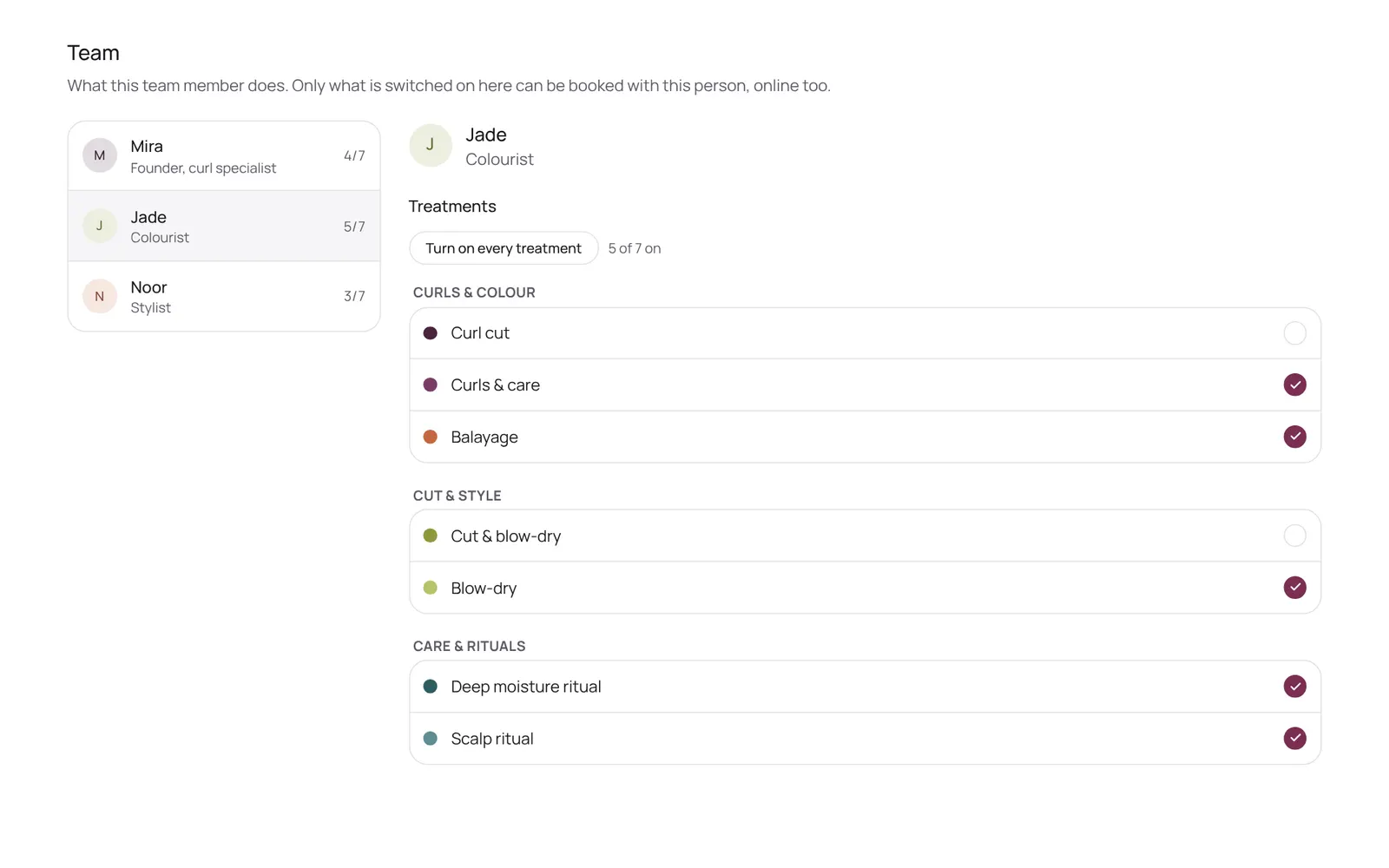
So funktioniert es
- Settings → Sales → Services → the treatment → Who does this treatment.
Gut zu wissen
- Teammitglieder brauchen die Berechtigung „Services and prices“. Die Inhaberin oder der Inhaber legt das unter Settings → Team → Roles and permissions fest (die App ist auf Englisch).
Wenn etwas nicht klappt
A new treatment can't be booked online.
Check that someone is turned on under Who does this treatment, and that this team member works according to the schedule.
Passende Anleitungen
- Booking an appointment for a clientScheduling an appointment from the calendar: choose client, treatment, team member, time, and optionally repeat.
- Creating or changing a treatmentA treatment has a name, a category, a price, a duration and a buffer. The duration is the time with the client; the buffer is the time after it to tidy up or prepare, which the calendar keeps free but the client doesn't see. Also: a photo (optional; it then shows with the treatment on your mini website and in the booking screen, and without a photo nothing shows), who does it, extras and finishes, a calendar colour, a deposit, a from-price and whether it can be booked online.
- Extras and finishes (options)What a client can choose with a treatment: a finish (French or Baby Boomer) or something extra (nail art). An option group is a question with choices. Pick one or pick several, and optionally required. Each choice has its own price, its own extra time and who does it. The client picks them when booking online, and at the desk you pick them in the booking panel. What's already booked keeps the price of that moment.
- Surcharges and discounts (price rules)Rules that adjust the price automatically: a surcharge in the evening or at weekends, or a discount on a quiet part of the day. A fixed amount or a percentage, on chosen days and times, optionally only with certain team members, treatments or only online. The client sees the surcharge when choosing a time. Per rule you choose whether it counts towards commission and whether it is included in a refund.
Hat dir diese Anleitung geholfen?
Kommst du nicht weiter?
Öffne in NOZAIA den Support unten in der Seitenleiste (auf dem Handy: im Menü unter deinem Namen). Er weiß, auf welchem Bildschirm du bist, und wenn er nicht helfen kann, geht deine Frage an unser Team.
Zuletzt geprüft am 29. September 2026