


Everything in one place
One system for the whole salon.
From the first booking to the tenth visit. Every part works with the rest, so nothing has to be typed in twice.
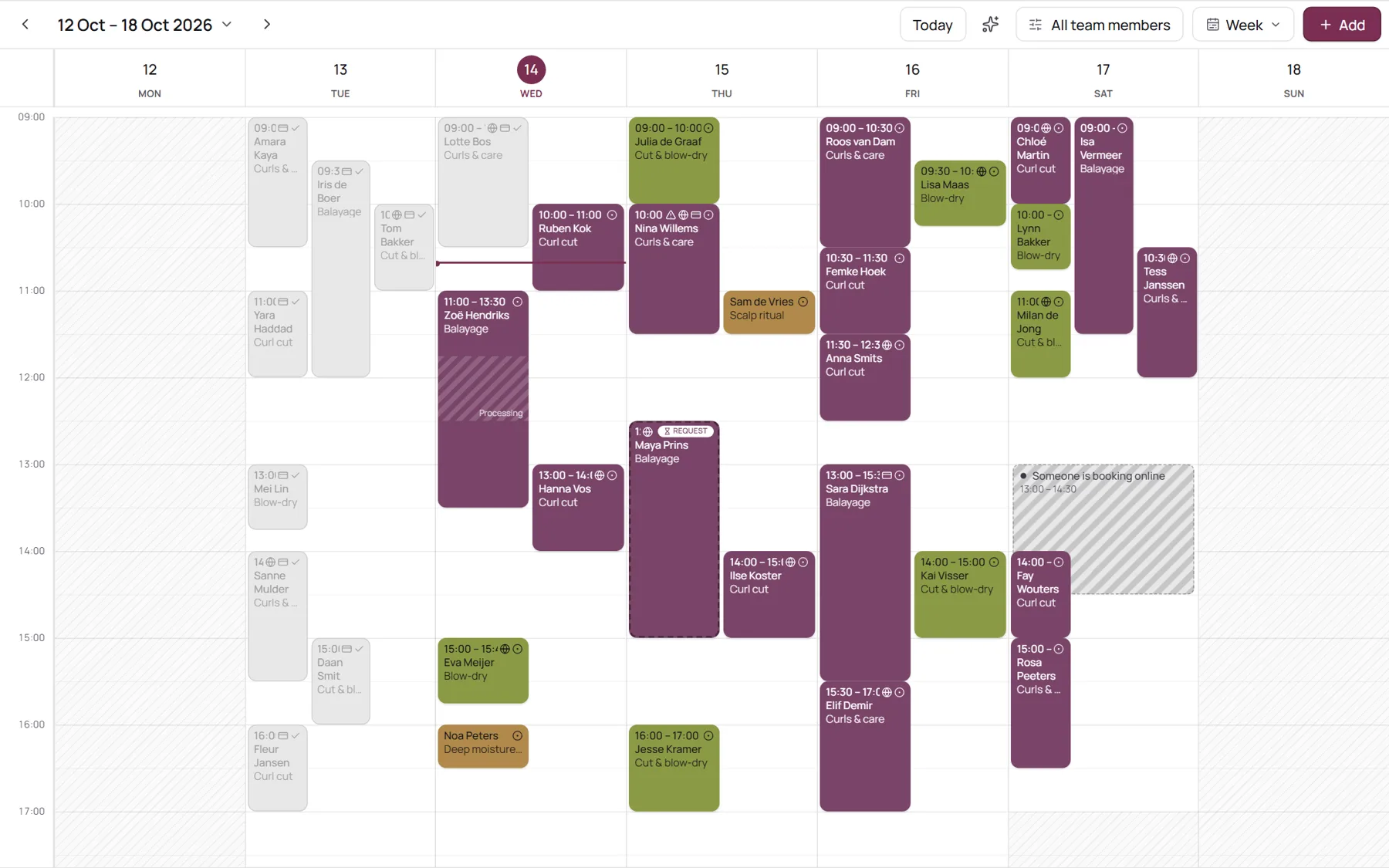 Booking & calendarClients book themselves, day and night. You see it in your calendar straight away.See how it works
 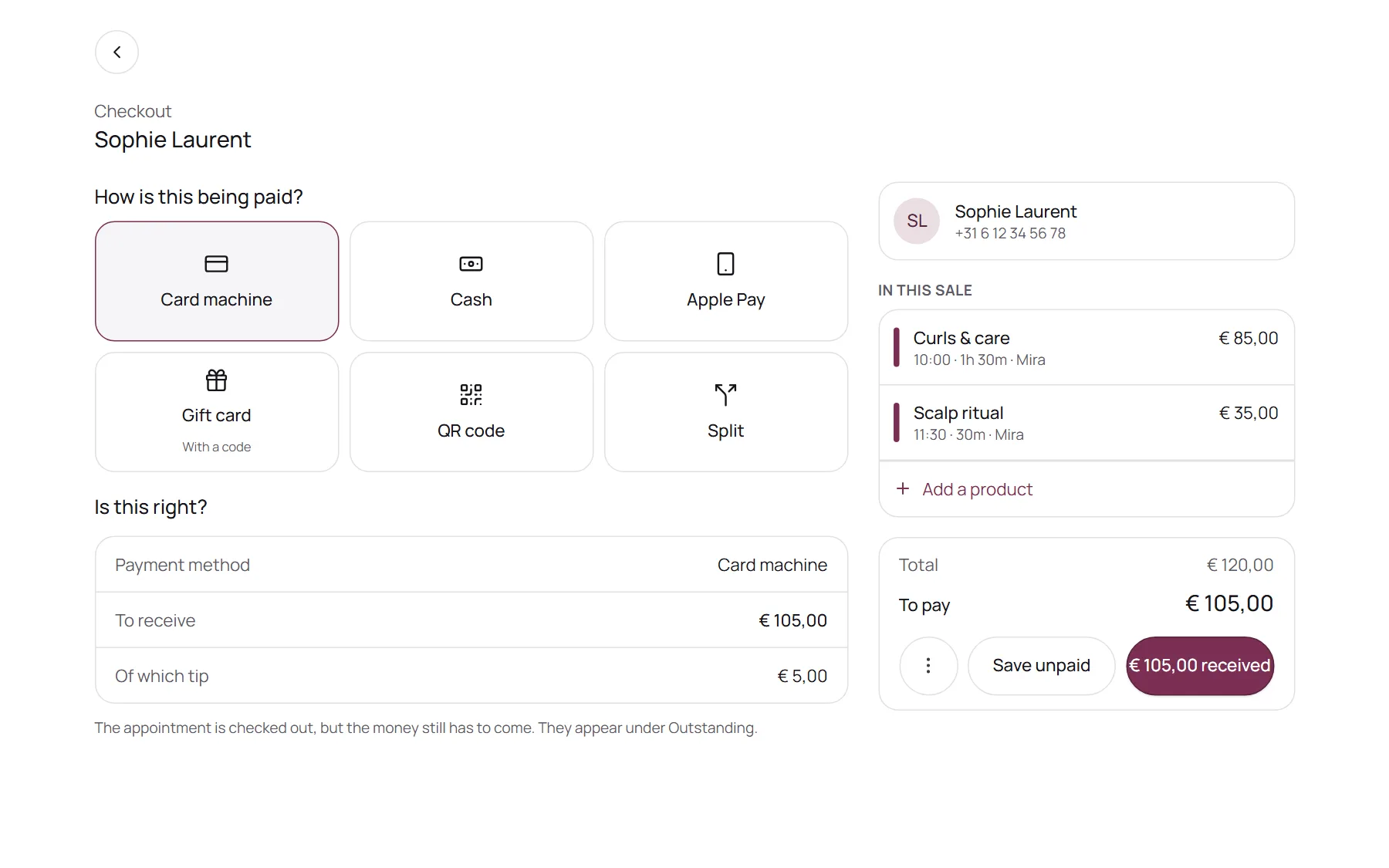 Payments & checkoutDeposits online, a till at the counter and tips, paid out to your own account.See how it works
 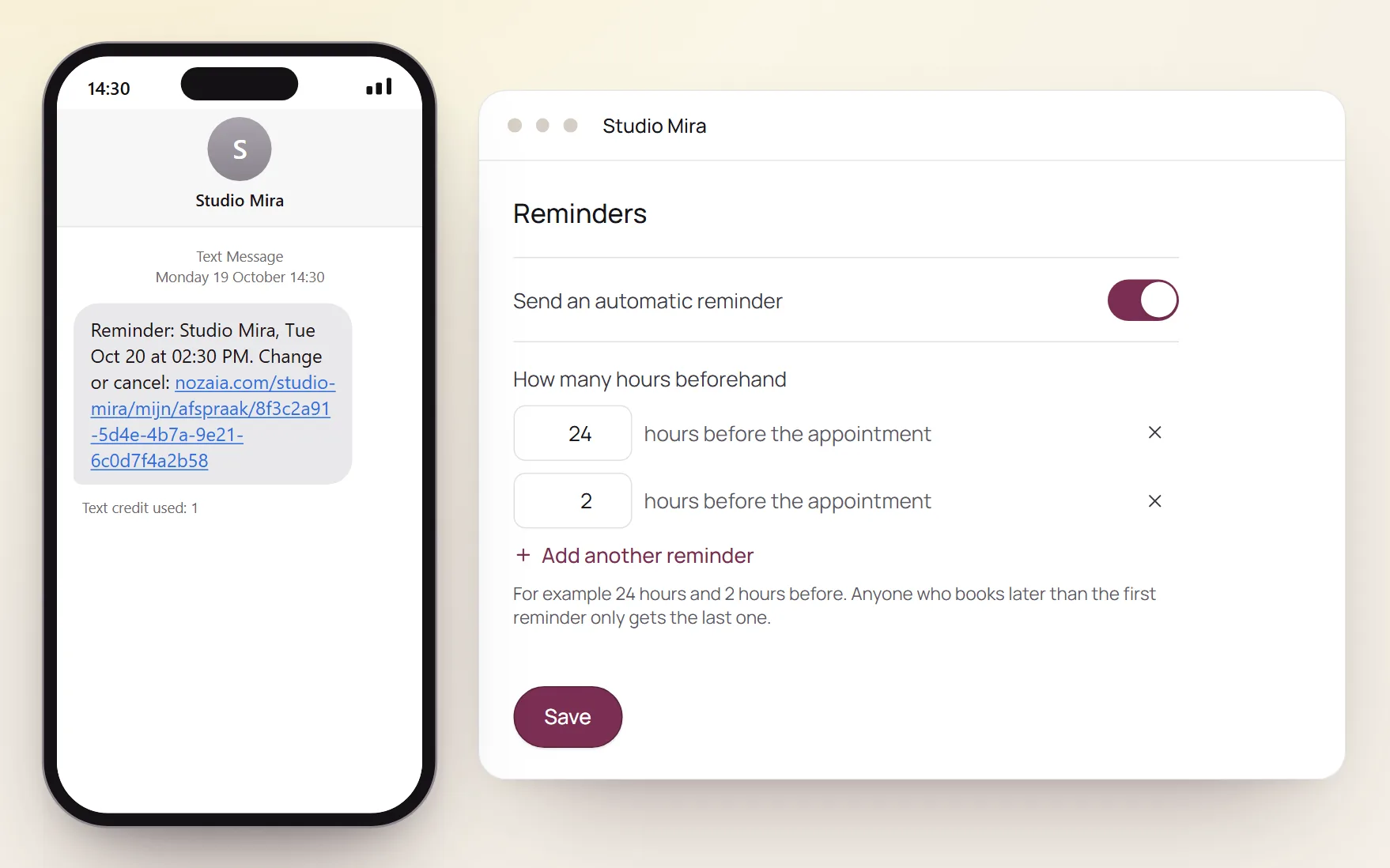 Reminders & no-showsReminders by email or WhatsApp, and a warning before a no-show happens.See how it works
  Website builderYour own website in minutes, with your treatments and booking built in.See how it works
 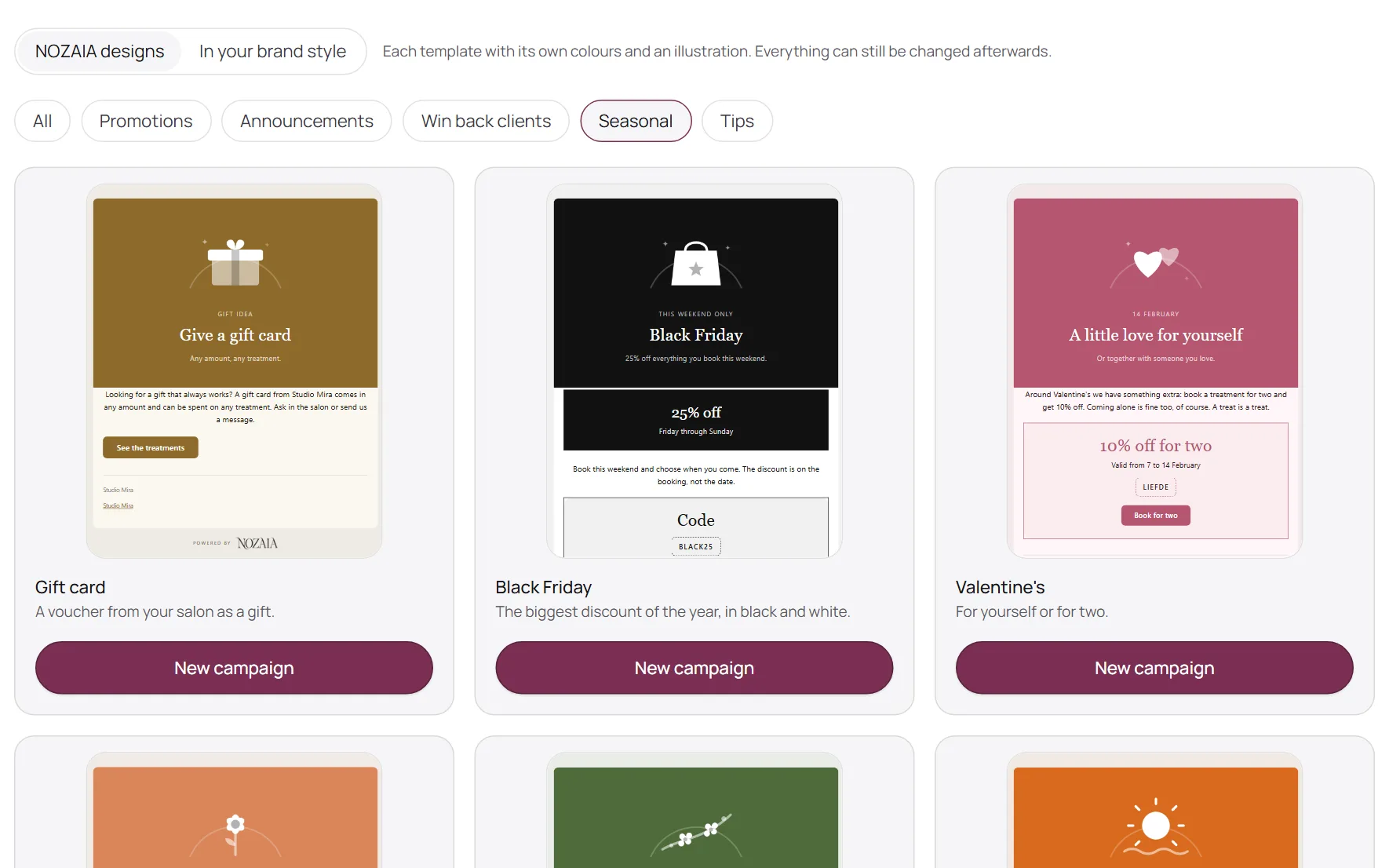 Marketing & gift cardsCampaigns from ready-made designs, and gift cards people buy on your page.See how it works
 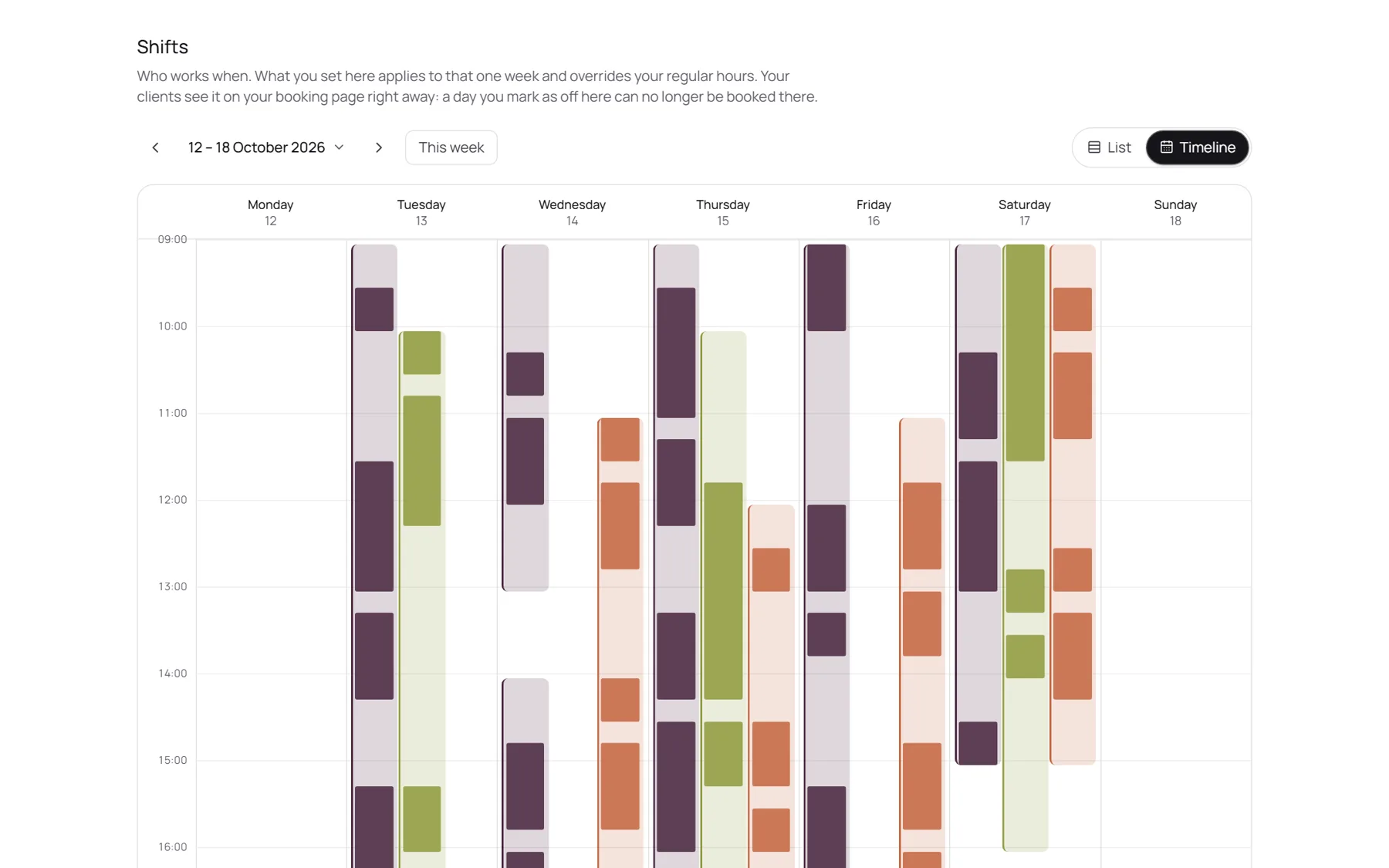 Team & rotasWho works when, who does which treatment, and what everyone earned.See how it works
 Every feature
Everything NOZAIA does, on one page.
No hidden extras and no long sales call. This is the full list. A small label shows when something is on Pro or Studio; everything else is in every plan.
Online booking
Clients book themselves, day and night, on a page that looks like your salon.
See how it works- Your own booking page
Your treatments, team, products and reviews on one page, with a book button.
- Booking 24/7
Clients pick a treatment, a team member or anyone, and a free time.
- Several treatments per visit
Book a cut and a colour, or brows and lashes, in one go.
- Options and extras
Variants like a French finish, each with its own price and time. Only the people who do them are offered.
- No account needed
Clients book with a name and email. Returning clients get their details filled in.
- Add to calendar
One tap puts the appointment in Apple, Google or Outlook calendar.
- Cancel or move online
Clients change their own appointment, within the notice period you set.
- Instant or on approval
Confirm online bookings straight away, or approve each one first.
- Booking window
Set how far ahead clients can book and how much notice you need.
- Start times
Choose the times clients see, like every 15 or 30 minutes.
- Smart start timesPro
Only offers times that don't leave gaps you can't fill.
- Treatments on set days
Offer a treatment only on the days you choose, like a colour day.
- Client stop
Pause new clients for the salon, one person or one treatment, while regulars keep booking.
- Waiting list
Clients join from your booking page and say which days and times suit them.
- Automatic slot offers
A cancelled spot goes to the first match on the list. If they don't take it in 30 minutes, it goes to the next.
- Products with a booking
Clients add products from your shop to their appointment.
- Surcharges and off-peak prices
Evening, weekend or holiday surcharges and off-peak discounts, shown at the time and fixed when booked.
- Five languages
Your booking page and client emails in English, Dutch, German, French and Spanish.
- Your own privacy and terms pages
Each salon has its own privacy statement and booking terms.
Get found
Every way a client can reach your booking page.
- Book button for your website
Paste one line of code and your own site gets a Book now button.
- Your own web address
Pick your link: nozaia.com/yoursalon.
- NOZAIA marketplace
Choose to be found in NOZAIA's salon search. New clients from it cost you 0% commission.
- Booking page design
Your logo, colours, fonts and header photo, with a live preview.
- Gallery
A photo strip of your salon and your work.
- Team profiles
Every team member with a photo and a short bio.
- Brand site
Your own page with a menu, sections and photos, not just a booking form.
- Website builderPro
Drag and drop a site with several pages, SEO titles per page and a preview on phone, tablet and desktop.
- Designer themesPro
Four themes, more than 100 fonts and your own colours. Upload your own font too.
- Always up to datePro
Treatments, prices, team, reviews and opening hours on your site come straight from NOZAIA.
- Drafts and versionsPro
Work on a draft, keep earlier versions and publish when it's ready.
- Branded emails
Every email to your clients in your colours, font and logo.
- Atelier
Your own design studio for Instagram posts and stories, from templates and in your brand.
Calendar & scheduling
Your day, your team and your rotas in one calendar.
- Calendar
Day, week and list views, a column per team member, drag to move, zoom on your phone.
- Colour coding
Colour appointments by treatment or by team member.
- Unlimited appointments
No cap, on any plan.
- Recurring appointments
Book a regular every one, two, three or four weeks in one go.
- Blocked time
Block time for a break, a training or a day off.
- Booking in progress
See in your calendar when someone is booking online right now.
- Tell the client about a move
Move an appointment and NOZAIA asks whether to email the new time.
- Book again on the right date
Book again opens the calendar on the day the next visit is due.
- Closed days
Holidays and closures for the whole salon.
- Rotas
Weekly or two to four week patterns, split shifts, one-day changes, and copy a week ahead.
- Who does what
Choose per team member which treatments they do. Online booking follows it.
- Your calendar on your phone
Subscribe to your appointments in iPhone, Google or Outlook calendar.
- A heads-up before each client
A push notification 15 minutes before every appointment.
- Morning briefing
Your day at a glance, with tiles for sales, new bookings, requests, stock and more.
- Tasks
A shared to-do list for the salon.
- Setup checklist
Shows what's still needed before clients can book online.
Client management
Everything about a client, in one card.
- Client list
Search all your clients in a second.
- Client card
Appointments, sales, notes, gift cards, loyalty and reviews. Hover an appointment to see it.
- Labels
Tag clients with your own labels.
- Your own client fields
Choose what clients fill in, and what's required.
- Duplicate check
Spots cards that look like the same person.
- Add from your phone contacts
Pick a contact instead of typing it in.
- Export
Download your client list. It's your data.
- Preferred language
Emails go out in the language each client speaks.
- Call or WhatsApp in one tap
WhatsApp opens with the reminder already written; you press send.
- Email log
See when each email went out and whether it arrived.
- Privacy built in
Privacy rules per country, a data processing agreement and automatic clean-up of old data.
Treatment records
Switched on for your type of business: lashes, brows, skin, tattoo, PMU, clinics and more.
- Allergies
Note what a client reacts to, with a warning in the calendar.
- Patch tests
Date, product and result of every patch test.
- Lash records
Each client's curl, thickness and length, so every next set matches.
- Intake forms
An intake or questionnaire per client.
- Before and after photos
Photos and files, kept safely on the client card.
- Signed consent
Your own consent form, signed with a finger in the salon or from home through a link.
- Age check
For treatments with a minimum age, the booking page asks for a date of birth. Where a parent may consent, it asks for that.
- Practitioner credentials
Medical treatments can only go to team members with a registration number.
- Consultation first
Some treatments can only be booked after a consultation.
- Batch numbers and recalls
Note the product and batch per appointment, and find everyone who had a batch.
- Aftercare email
Your aftercare instructions go out automatically after the treatment.
- Design requests and quotes
Clients send their wishes and photos. You reply with a quote and a deposit, then plan the work.
- Record retention
Client records can't be deleted before the legal retention period ends.
Treatments & products
Your menu, your packages and your shelf.
- Treatments
Duration, price, colour and deposit per treatment.
- Options and extras
Variants and add-ons with their own price, time and team.
- Packages
Several treatments together at a set price, with the saving shown.
- Products
Sell products in the salon, online, or both.
- Stock
Stock levels, low-stock alerts and a quick "what did you use" after checkout.
- Scan a product
Take a photo of a package and AI reads the brand, name and size. Barcodes work too.
- A head start
When you sign up, AI suggests a treatment list for your type of business.
Payments & checkout
Get paid your way, straight into your own account. Online payments depend on your country.
See how it works- Checkout
Check out treatments and products at the desk in a few taps.
- Your payment methods
Pick what you accept and add your own, like a voucher from a deal site.
- Online depositsSelected countries
None, a percentage or a fixed amount per treatment, paid while booking.
- Your own account, 0% from usSelected countries
Payments go straight to your own payment account. NOZAIA takes nothing.
- Pay by QR codeSelected countries
Clients scan a code and pay on their own phone.
- Connect your card terminal
Stripe, SumUp, Adyen, Mollie, Viva.com, CCV, Square, Clover and more, depending on your country.
- Tips
Add a tip at checkout. It's kept apart from your revenue.
- Split bills
Pay one bill with several payment methods.
- Discount codes
With an end date, a usage limit and a minimum spend.
- Invoices and receipts
A numbered invoice for every sale, as a PDF with VAT. The receipt emails itself.
- Refunds and credit notes
Refund a sale and the original invoice stays as it was.
- Outstanding payments
Everything still unpaid in one list, with how long it's been open.
- Payment remindersSelected countries
An automatic reminder with a link to pay online.
- Day closing
Count the till per payment method. A closed day is locked.
- Your own certified till
Where the law asks for a certified till, record the sale as settled on yours.
- Charge to the room
Hotel guests put treatments on their room bill. Reception gets a daily overview.
- Email reminders
Up to three per appointment, any time from 1 hour to 7 days before.
- Push reminders
Clients who put your salon on their home screen get reminders as a push notification.
- WhatsApp in one tap
The reminder is already written in WhatsApp; you press send.
- DepositsSelected countries
Taken when they book and taken off the bill at checkout.
- No-show warningPro
A risk score for the next seven days, with the reasons and short advice.
- After a no-show
A friendly email with a button to book again.
- Your cancellation policy
In every confirmation and reminder.
- Email campaigns
36 ready-made designs, in our style or yours. Send now or schedule.
- Choose who gets it
Everyone, a group, a label or the clients you pick. Who opted out is shown first.
- Campaign results
Opened, clicked and booked, with the revenue it brought in. Follow up with one click.
- AI newsletter writerPro
AI writes the first draft of your campaign.
- Automations
Welcome, thank you, birthday, due back, win-back, milestones, review request and more. Each one on or off.
- Your own automations
Build your own: when it goes out, to whom and how long after.
- Clients due back
Who's overdue, based on each client's own rhythm.
- Review requests
Sent automatically after an appointment. Personal, AI-written versions on Pro.
- Reviews and replies
Read every review and reply. See your average and how many you answered.
- Import reviews
Bring your reviews with you from a file or by pasting them in.
- Review summary
AI sums up what clients say and where you can do better.
- Consent and unsubscribe
Opt-ins are recorded, and every email has an unsubscribe link.
Gift cards & loyalty
Extra revenue and clients who keep coming back.
- Gift cards onlineSelected countries
Clients buy a gift card on your page, with a design and a message. It arrives by email with a code.
- Gift cards at the desk
Sell and redeem at checkout. What's left stays on the card.
- Stamp card
A stamp per visit. A full card gives a reward at checkout.
- Milestones
An automatic thank you at the 5th, 10th or any visit you choose.
- Birthday email
Sent automatically, every year.
- Team members
Up to 2 on Start, up to 6 on Pro, unlimited on Studio. One price per salon, not per person.
- Roles and permissions
Owner, manager, team member or your own roles. Per area: nothing, their own, or everything.
- CommissionPro
A percentage, a fixed amount or tiers, per treatment and on products.
- Pay runsPro
Pay per week or month from rota hours, commission and tips, with an Excel export.
- Expenses and profit
Record your costs and see what's left each month.
- Tax settings
Your country, VAT rates and small-business exemption.
- Secure login
Face ID, passkeys, or sign in with Google.
- Help chat
Ask how anything in NOZAIA works, any time. Free.
- Priority supportStudio
Your questions go to the front of the queue.
Reports
Know your numbers without counting.
- 16 ready-made reports
Revenue, VAT, payment methods, clients, team, stock, reviews and more.
- Your own reports
Save your own view: columns, grouping and period.
- Export
CSV, Excel or PDF, exactly as on screen, plus an export for your accountant.
- VAT report
Your VAT per quarter, ready to file.
AI
AI credits every month: 100 on Start, 500 on Pro and 2,000 on Studio. Unused credits roll over.
- Ask NOZAIA
Ask about revenue, free spots, top treatments or stock, and get the answer from your own data.
- ZIA, the AI receptionistPro
Answers visitors on your page about treatments, prices and opening hours, day and night.
- Calendar optimisationPro
Finds gaps in your day and suggests a better layout.
- Lash advice from a photoPro
Reads a photo of the eye and suggests curl, mapping and technique.
- Smart import
Reads a product list from a photo, a screenshot or a web page.
Client app & portal
Your salon on your clients' phones, without the App Store.
- Your salon as an app
Clients put your salon on their home screen, with your logo and name.
- Push notifications
Reminders, changes, waiting-list offers, payment requests and campaigns, in the client's language.
- Client portal
Clients see and manage their appointments, invoices and details.
- Log in without a password
With a link by email or with Face ID.
- Invite clients
Invite clients to their portal in one go.
Academy
Teach courses and workshops next to your salon.
- Courses and workshopsPro
Price, dates and number of seats per course.
- Online sign-up and paymentPro
Students sign up and pay on your own course page.
- Students and attendancePro
Who's in which course, and who came on each day.
- CertificatesPro
Design your certificate and issue it as a PDF with a verification code.
- Practice modelsPro
Plan models for students to practise on, per lesson day.
NOZAIA Events
For event planners, rental companies, stylists and venues. On its own or next to your salon.
- Inquiries
An inquiry form on your page, and turn an inquiry into an event in one click.
- Events from start to finish
Every event with its own timeline, from first question to the last invoice.
- Quotes and instalmentsSelected countries
Clients accept online and pay in instalments.
- Contracts
Terms and documents clients accept online, with the time and the exact text kept.
- Rentals
Rental items with stock, packages, deposits and availability.
- Logistics
Delivery and pick-up trips, packing lists, returns and damage.
- Venues
Room schedules, holds and viewings.
- Moodboards and floor plans
Per event, in one place.
- Tasks and suppliers
Checklists, and who delivers what for each event.
- Profit per event
Revenue, costs and what you made.
- Switch with one link
Paste your booking page from Fresha, Treatwell, Salonized, Planity, Booksy or your own site. NOZAIA reads your treatments, prices, hours and team.
- Import from a file
Treatments, products, clients, history, appointments and reviews, with a check before anything is saved.
- Import photos
Upload all your client photos at once, as a ZIP file.
- We move it for youAdd-on
Send us your export and we set up your salon.
- 14 days free
Try everything first. No card needed.
- 78 countries
Local prices in your own currency.
- The right payment provider
Stripe, Sentoo, PayTabs, Paystack or Mopé, depending on your country.
- Local rules
Till and invoices follow the cash-register and invoice rules of your country.
- Five languages for clients
English, Dutch, German, French and Spanish. Your dashboard in English or Dutch.