



Automations
Esta guía está en inglés.
Everything NOZAIA sends to your clients by itself
Dónde encontrarlo
Dónde encontrarloSettings → Marketing and messages → Automations
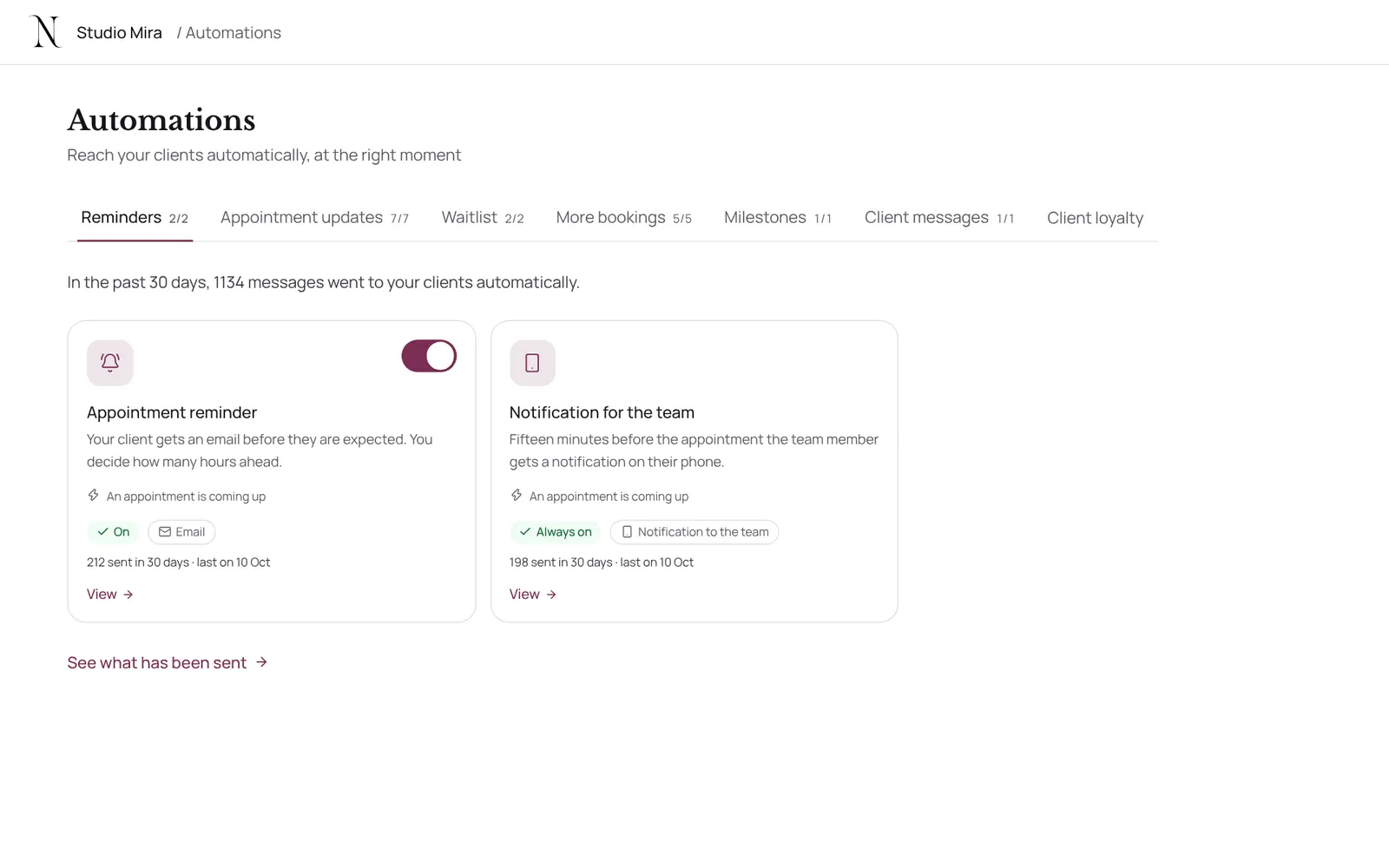
Cómo funciona
- Sidebar → Marketing → Automations, or Settings → Marketing and messages → Automations.
- All messages that go to your clients automatically, by group: reminders, appointment updates, waitlist, more bookings, milestones, client messages and loyalty.
- Per automation you see when it fires (for example: an appointment is completed, a client has a birthday, a client hasn't been in a long time), the channel, whether it's on and how often it was sent.
- Switch it on or off, or choose Set up.
- Emails that belong to the appointment itself, such as the confirmation, are always on.
- View what was sent goes to Sent emails.
Guías relacionadas
- CampaignsAn email to a group of clients in your own branding. Only goes to clients who gave consent for offers and have an email address.
- RemindersThe automatic reminder on or off
- RebookingWho is due for another appointment, based on their own rhythm
- Atelier: designing Instagram postsCreate Instagram posts and stories in your own brand style, with thirty templates, your own photos and your brand colours. You download it as PNG or JPG and post it yourself.
¿Te ha servido esta guía?
¿Sigues atascado?
En NOZAIA, abre Soporte abajo en la barra lateral (en el móvil: en el menú bajo tu nombre). Sabe en qué pantalla estás y, si no puede ayudarte, tu pregunta llega a nuestro equipo.
Revisado el 29 de septiembre de 2026