



Paying with a QR code at the counter
Esta guía está en inglés.
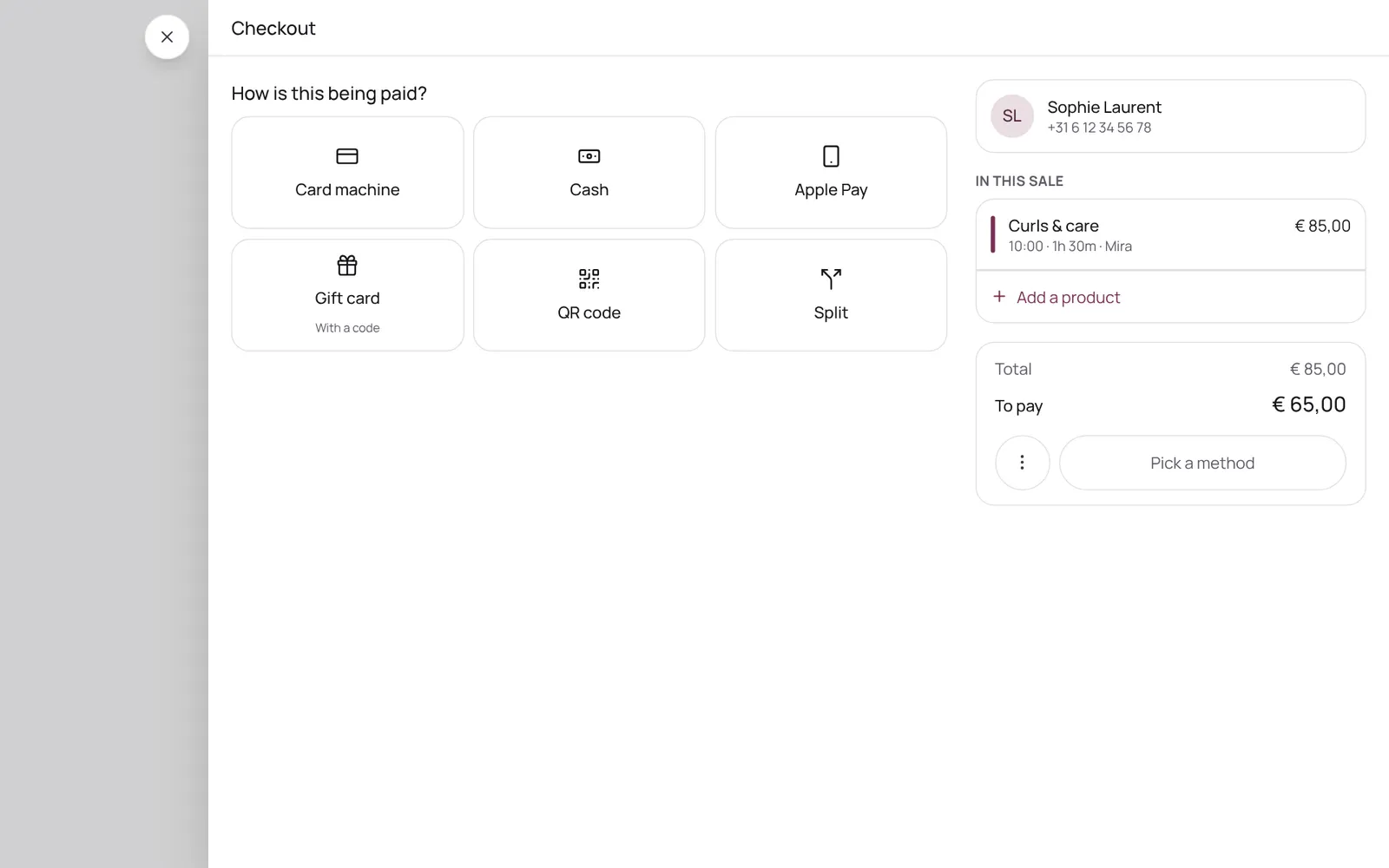
The client scans a QR code with their own phone and pays online, with your own payment provider (Stripe or Sentoo). It can also be shown on your own phone.
Dónde encontrarlo
Dónde encontrarloNo es una pantalla propia en NOZAIA.
Cómo funciona
- At checkout choose pay with a QR code.
- The client scans it with their own phone camera and chooses how to pay there (for example iDEAL, Apple Pay, a card, or via Sentoo).
- Once paid, the appointment updates automatically.
- The Show QR screen shows the same code on your own phone.
- If the code is no longer open, the payment was already completed or withdrawn; make a new one on the checkout screen.
- Only works with online payments connected.
Conviene saber
- Los miembros del equipo necesitan el permiso “Checkout”. El propietario lo configura en Settings → Team → Roles and permissions (la app está en inglés).
Configura esto primero
- Connecting a payment providerConnecting your own account with a payment provider so clients can pay online. Which one depends on the country: Stripe in most countries, Sentoo on Aruba, Curaçao, Bonaire and Sint Maarten, PayTabs in the Gulf states, Egypt and Morocco, Paystack in four African countries, Mopé in Suriname.
- CheckoutChecking out an appointment or a separate sale: the cart, discount, a gift card or stamp card, and the payment method (card, cash, transfer, QR code, or split). An invoice is made.
Guías relacionadas
- Deposit for online bookingsA client pays part or all of the amount when booking online. Set per treatment: none, a percentage or a fixed amount. The money goes straight to your own account, not through NOZAIA.
- No-show protection (card on file)When booking online, clients save their card and tick your rules. Nothing is charged. If someone doesn't show up or cancels too late, you charge the fee with one button: a percentage of the price or a fixed amount. Nothing is ever charged automatically. Only works if your clients pay online through Stripe.
¿Te ha servido esta guía?
¿Sigues atascado?
En NOZAIA, abre Soporte abajo en la barra lateral (en el móvil: en el menú bajo tu nombre). Sabe en qué pantalla estás y, si no puede ayudarte, tu pregunta llega a nuestro equipo.
Revisado el 29 de septiembre de 2026