



Opening an appointment
Esta guía está en inglés.
The screen for one appointment: client, treatments, status, checkout, rescheduling, cancelling and no-show.
Dónde encontrarlo
Dónde encontrarloNo es una pantalla propia en NOZAIA.
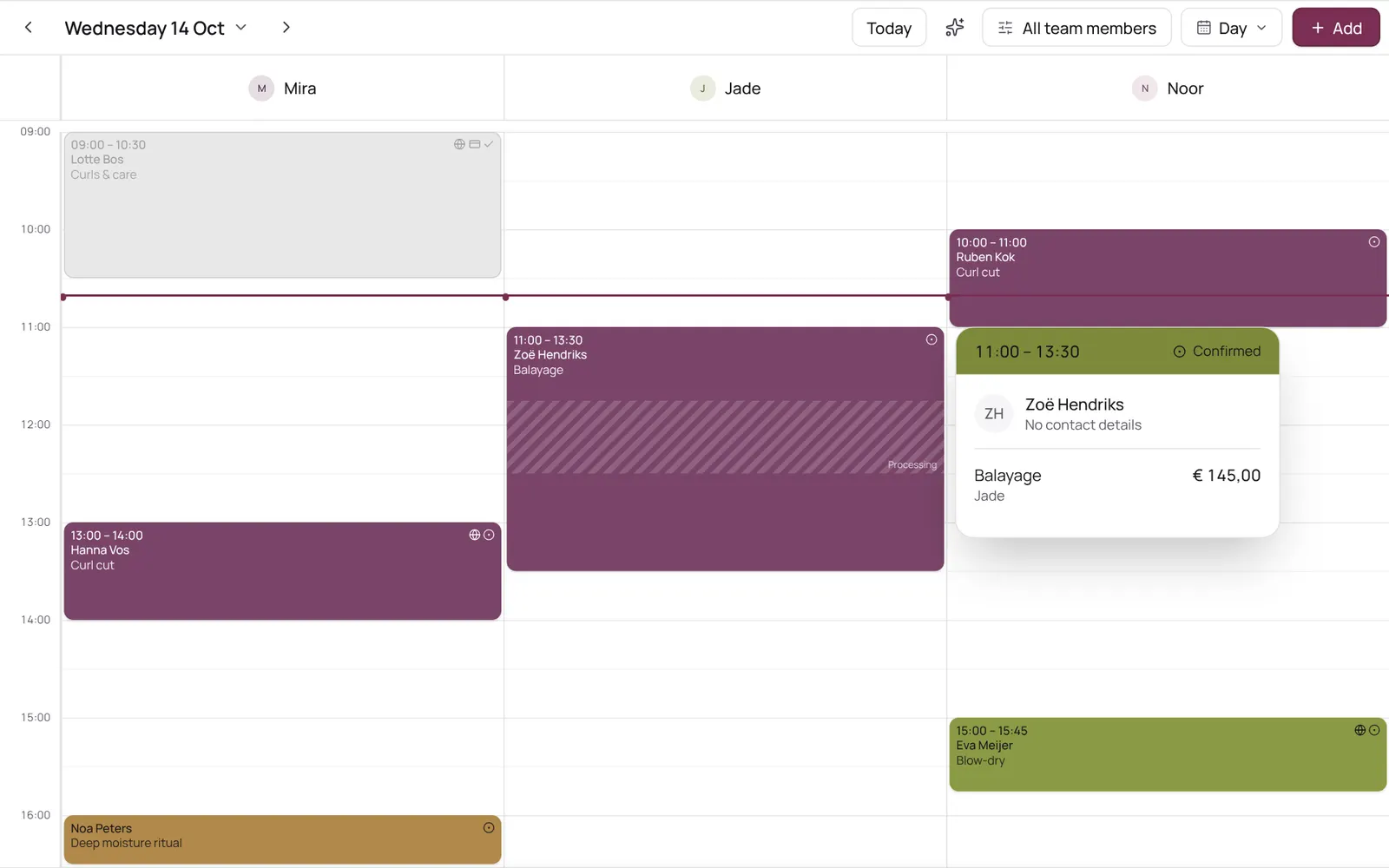
Cómo funciona
- Tap an appointment in the calendar.
- A panel opens with the client, the treatment with chosen extras and surcharges, the team member, the status and notes, with buttons to check out, move, cancel, record a no-show or open the client card.
- A link to an appointment (for example from a notification or email) opens the calendar on that day with the appointment open.
Conviene saber
- Los miembros del equipo necesitan el permiso “Calendar”. El propietario lo configura en Settings → Team → Roles and permissions (la app está en inglés).
Guías relacionadas
- CalendarYour appointments per day, per 3 days, per week or as a list; your choice is remembered. The day view has a column per team member, the week and 3-day views a column per day. Filter by team member at the top.
- Booking an appointment for a clientScheduling an appointment from the calendar: choose client, treatment, team member, time, and optionally repeat.
- Blocked time and time offRecord a break, training, meeting or time off so nothing can be booked in it. A whole day off (type Time off, six hours or more) shows as a bar at the top of the day in the team member's colour.
- Calendar coloursEach appointment is a solid block in one colour, with white or dark text, whichever reads best. The colour comes from the treatment, otherwise its category, otherwise the team member. Completed appointments are faded; a request has a dashed border.
¿Te ha servido esta guía?
¿Sigues atascado?
En NOZAIA, abre Soporte abajo en la barra lateral (en el móvil: en el menú bajo tu nombre). Sabe en qué pantalla estás y, si no puede ayudarte, tu pregunta llega a nuestro equipo.
Revisado el 29 de septiembre de 2026