



Schedule and working hours
Esta guía está en inglés.
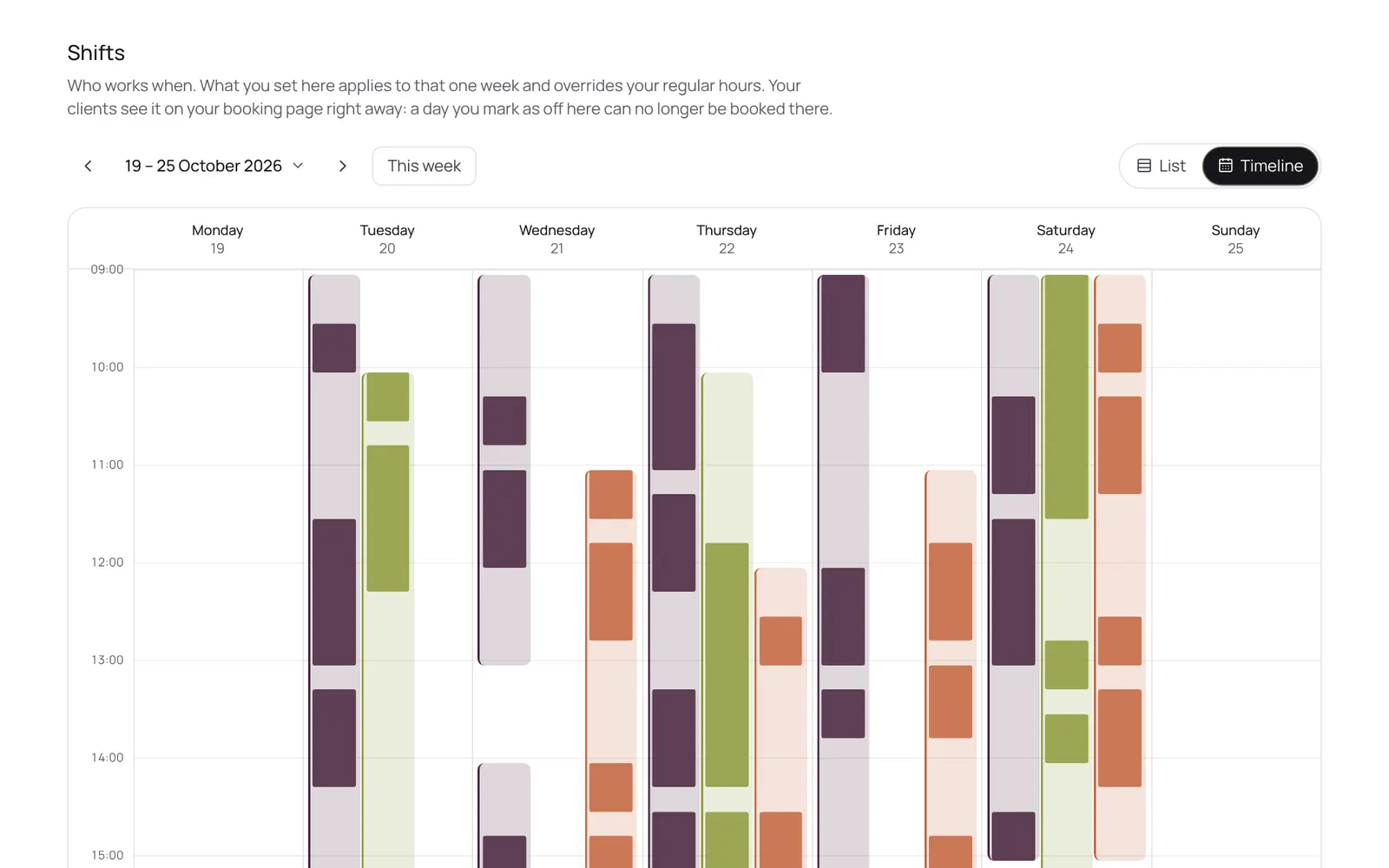
Who works when: per day, or as a fixed weekly pattern that carries on. Per day you can also mark someone as off, and choose which treatments someone does that day.
Dónde encontrarlo
Dónde encontrarloSettings → Scheduling → Shifts
Cómo funciona
- Settings → Scheduling → Shifts, or via the sidebar.
- Tap a team member's day to set hours, or use Carry over to copy a week across the following weeks.
- Separate time off or holidays go in the calendar as blocked time.
Conviene saber
- Los miembros del equipo necesitan el permiso “Schedule”. El propietario lo configura en Settings → Team → Roles and permissions (la app está en inglés).
Guías relacionadas
¿Te ha servido esta guía?
¿Sigues atascado?
En NOZAIA, abre Soporte abajo en la barra lateral (en el móvil: en el menú bajo tu nombre). Sabe en qué pantalla estás y, si no puede ayudarte, tu pregunta llega a nuestro equipo.
Revisado el 29 de septiembre de 2026