



Pay runs
What each team member gets paid
Where to find it
Where to find itSettings → Team → Pay runs
How it works
- Sidebar → Reports → Pay runs, or Settings → Team → Pay runs.
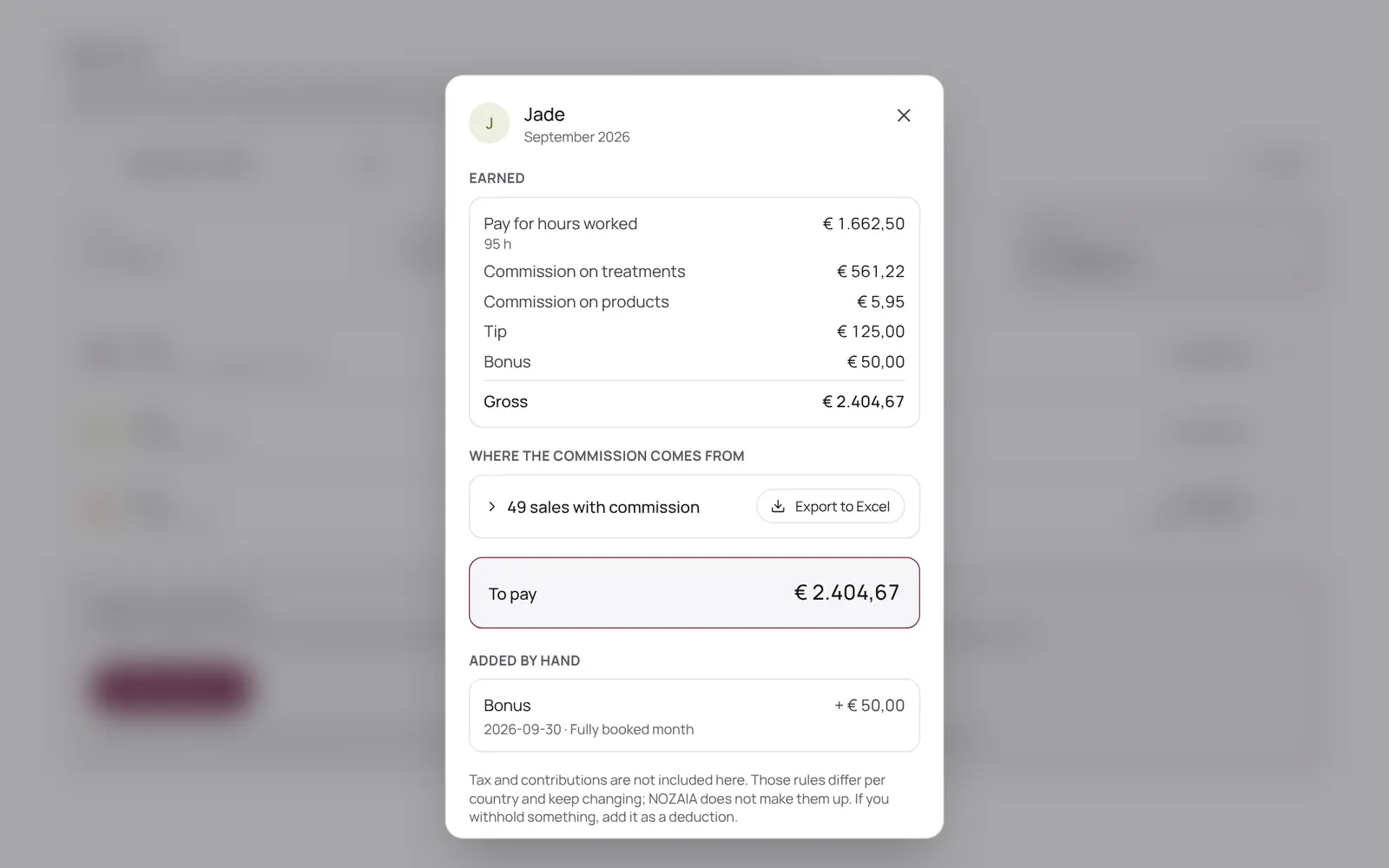
- NOZAIA works out per period what each team member earned: clocked hours times the rate, plus commission on paid sales, tips and surcharges.
- You check it, add a bonus, deduction, tip or advance where needed, and lock the run; after that the amounts no longer change.
- You transfer the money yourself: NOZAIA doesn't move money.
- Export to Excel is available.
- What someone earns is set on their card under Team.
- Part of Pro, and needs the Pay runs permission.
Good to know
- Team members need the permission “Pay runs”. The owner sets this under Settings → Team → Roles and permissions.
- Whether this is included depends on your plan. See plans
Related guides
- TeamWho works here, what they do and when
- Schedule and working hoursWho works when: per day, or as a fixed weekly pattern that carries on. Per day you can also mark someone as off, and choose which treatments someone does that day.
- Team, roles and permissionsInviting team members and deciding per role what someone may see and change. Each permission has a level: none, own only, or the whole team. The database enforces it too, not just the menu.
Did this guide help?
Still stuck?
In NOZAIA, open Support at the bottom of the sidebar (on your phone: in the menu under your name). It knows which screen you're on, and if it can't help, your question goes to our team.
Last checked 29 September 2026