



Team, roles and permissions
Esta guía está en inglés.
Inviting team members and deciding per role what someone may see and change. Each permission has a level: none, own only, or the whole team. The database enforces it too, not just the menu.
Dónde encontrarlo
Dónde encontrarloSettings → Team → Roles and permissions
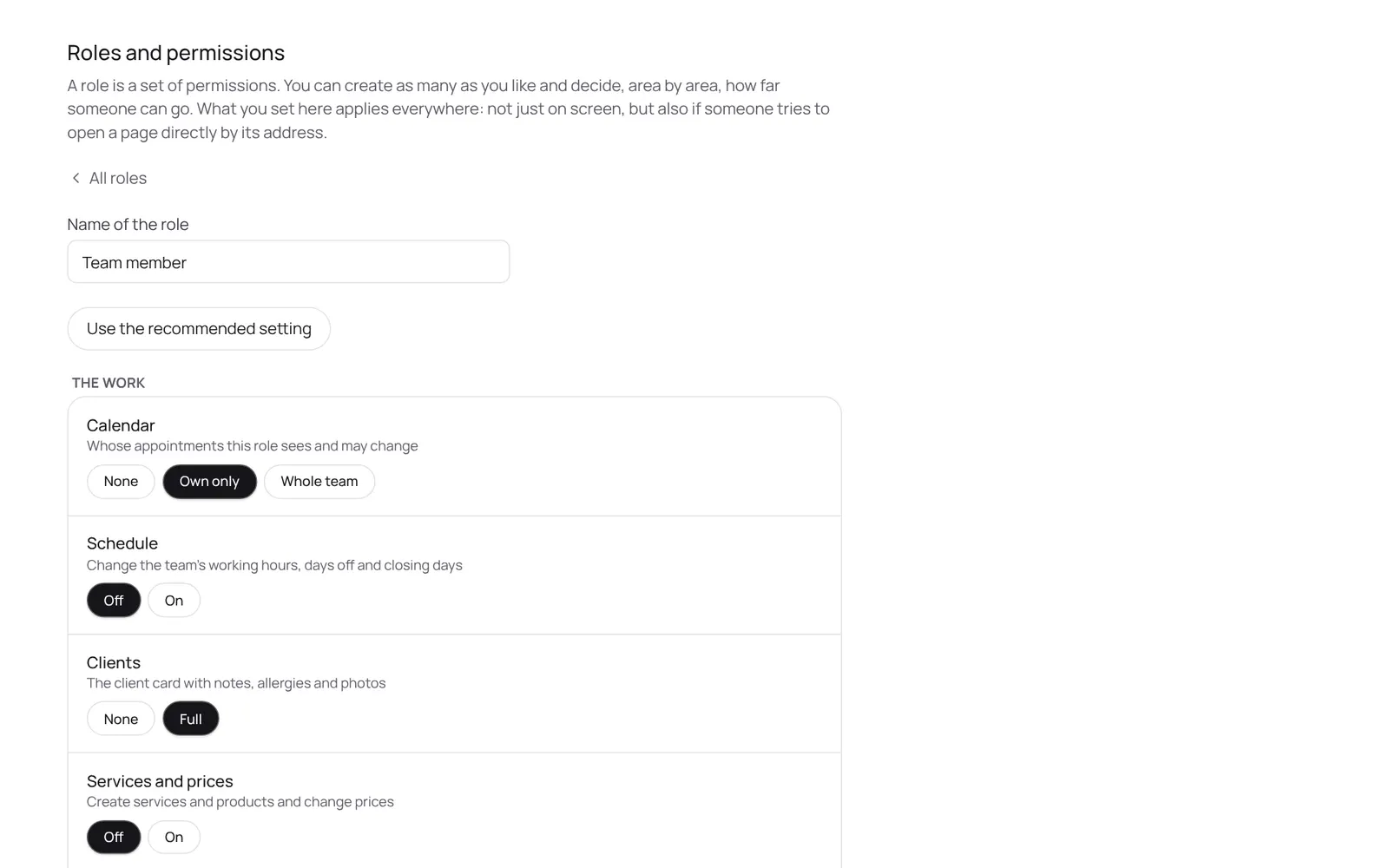
Cómo funciona
- Team members: Settings → Team → Team.
- Roles and permissions: Settings → Team → Roles and permissions.
- Only the owner or someone with the roles permission can change this.
Conviene saber
- Los miembros del equipo necesitan el permiso “Manage roles”. El propietario lo configura en Settings → Team → Roles and permissions (la app está en inglés).
Si algo no funciona
My team member sees things they shouldn't, or doesn't see what they should.
Settings → Team → Roles and permissions: check which role they have and the level of each permission (none, own only, whole team). Opening a screen directly without permission shows nothing, because the database blocks it too.
Guías relacionadas
¿Te ha servido esta guía?
¿Sigues atascado?
En NOZAIA, abre Soporte abajo en la barra lateral (en el móvil: en el menú bajo tu nombre). Sabe en qué pantalla estás y, si no puede ayudarte, tu pregunta llega a nuestro equipo.
Revisado el 29 de septiembre de 2026