



Pay runs
Esta guía está en inglés.
What each team member gets paid
Dónde encontrarlo
Dónde encontrarloSettings → Team → Pay runs
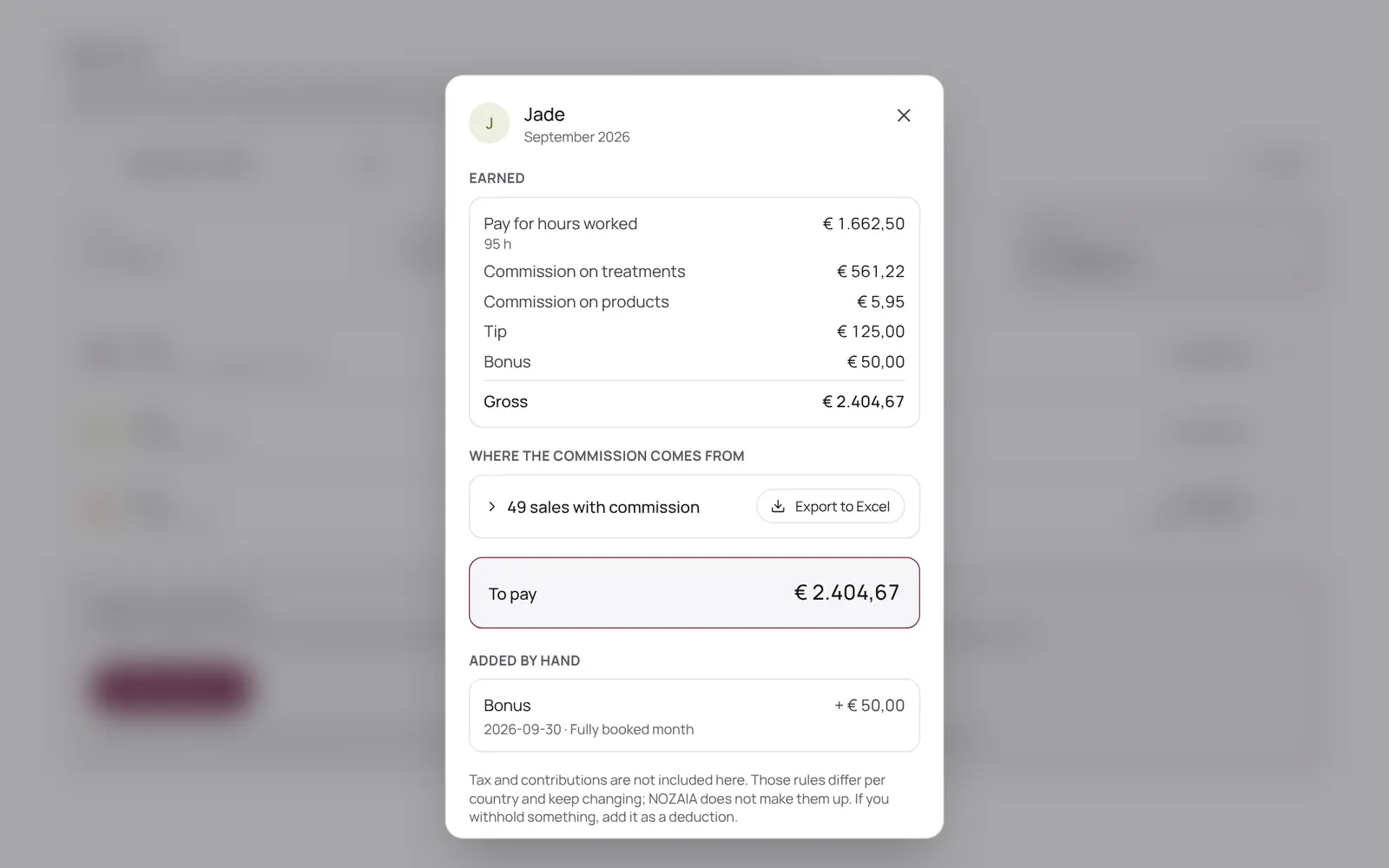
Cómo funciona
- Sidebar → Reports → Pay runs, or Settings → Team → Pay runs.
- NOZAIA works out per period what each team member earned: clocked hours times the rate, plus commission on paid sales, tips and surcharges.
- You check it, add a bonus, deduction, tip or advance where needed, and lock the run; after that the amounts no longer change.
- You transfer the money yourself: NOZAIA doesn't move money.
- Export to Excel is available.
- What someone earns is set on their card under Team.
- Part of Pro, and needs the Pay runs permission.
Conviene saber
- Los miembros del equipo necesitan el permiso “Pay runs”. El propietario lo configura en Settings → Team → Roles and permissions (la app está en inglés).
- Que esté incluido depende de tu plan. Ver planes
Guías relacionadas
- TeamWho works here, what they do and when
- Schedule and working hoursWho works when: per day, or as a fixed weekly pattern that carries on. Per day you can also mark someone as off, and choose which treatments someone does that day.
- Team, roles and permissionsInviting team members and deciding per role what someone may see and change. Each permission has a level: none, own only, or the whole team. The database enforces it too, not just the menu.
¿Te ha servido esta guía?
¿Sigues atascado?
En NOZAIA, abre Soporte abajo en la barra lateral (en el móvil: en el menú bajo tu nombre). Sabe en qué pantalla estás y, si no puede ayudarte, tu pregunta llega a nuestro equipo.
Revisado el 29 de septiembre de 2026