



Pay runs
Diese Anleitung ist auf Englisch.
What each team member gets paid
Wo du es findest
Wo du es findestSettings → Team → Pay runs
So funktioniert es
- Sidebar → Reports → Pay runs, or Settings → Team → Pay runs.
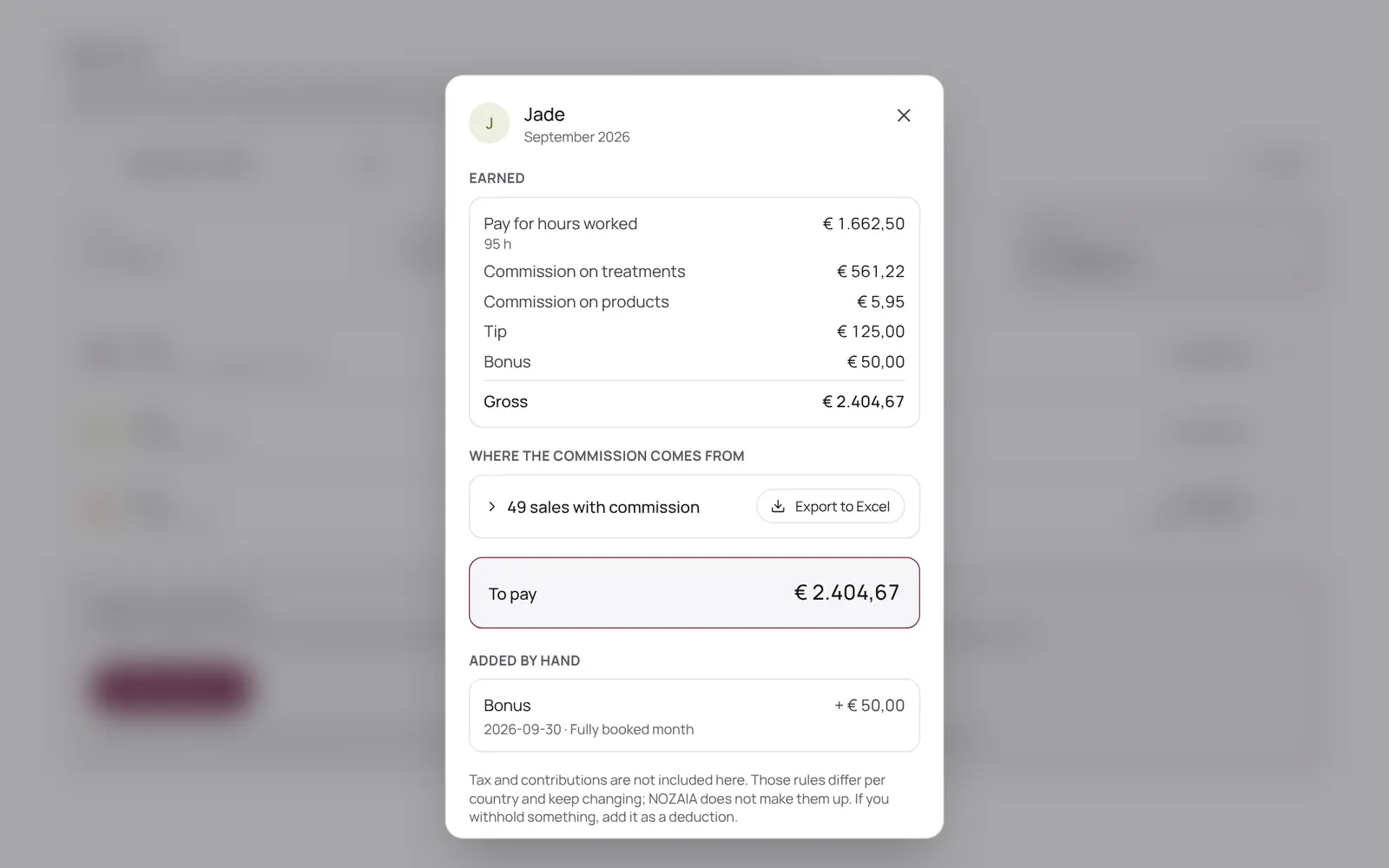
- NOZAIA works out per period what each team member earned: clocked hours times the rate, plus commission on paid sales, tips and surcharges.
- You check it, add a bonus, deduction, tip or advance where needed, and lock the run; after that the amounts no longer change.
- You transfer the money yourself: NOZAIA doesn't move money.
- Export to Excel is available.
- What someone earns is set on their card under Team.
- Part of Pro, and needs the Pay runs permission.
Gut zu wissen
- Teammitglieder brauchen die Berechtigung „Pay runs“. Die Inhaberin oder der Inhaber legt das unter Settings → Team → Roles and permissions fest (die App ist auf Englisch).
- Ob das enthalten ist, hängt von deinem Paket ab. Pakete ansehen
Passende Anleitungen
- TeamWho works here, what they do and when
- Schedule and working hoursWho works when: per day, or as a fixed weekly pattern that carries on. Per day you can also mark someone as off, and choose which treatments someone does that day.
- Team, roles and permissionsInviting team members and deciding per role what someone may see and change. Each permission has a level: none, own only, or the whole team. The database enforces it too, not just the menu.
Hat dir diese Anleitung geholfen?
Kommst du nicht weiter?
Öffne in NOZAIA den Support unten in der Seitenleiste (auf dem Handy: im Menü unter deinem Namen). Er weiß, auf welchem Bildschirm du bist, und wenn er nicht helfen kann, geht deine Frage an unser Team.
Zuletzt geprüft am 29. September 2026