



Campaigns
Esta guía está en inglés.
An email to a group of clients in your own branding. Only goes to clients who gave consent for offers and have an email address.
Dónde encontrarlo
Dónde encontrarloSidebar → Marketing → Campaigns → New campaign
Cómo funciona
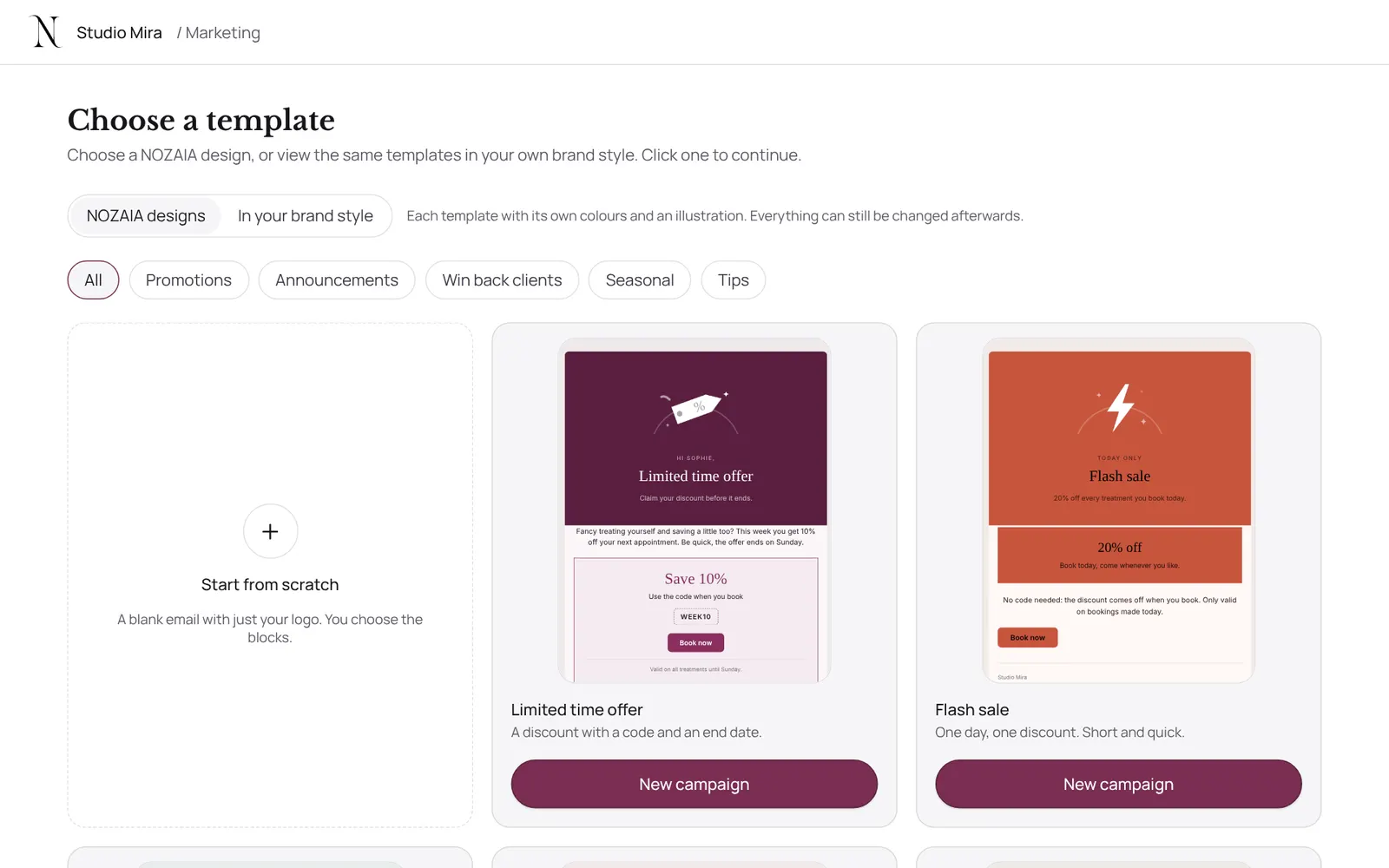
- Write the email in the builder, in your salon's branding, or let the AI draft one (it only mentions your own treatments and discount codes, and never sends anything itself).
- Send a test email to yourself, choose who gets it under Audience and sending, and send or schedule it.
- A sent or scheduled campaign can't be changed; duplicate it for a new version.
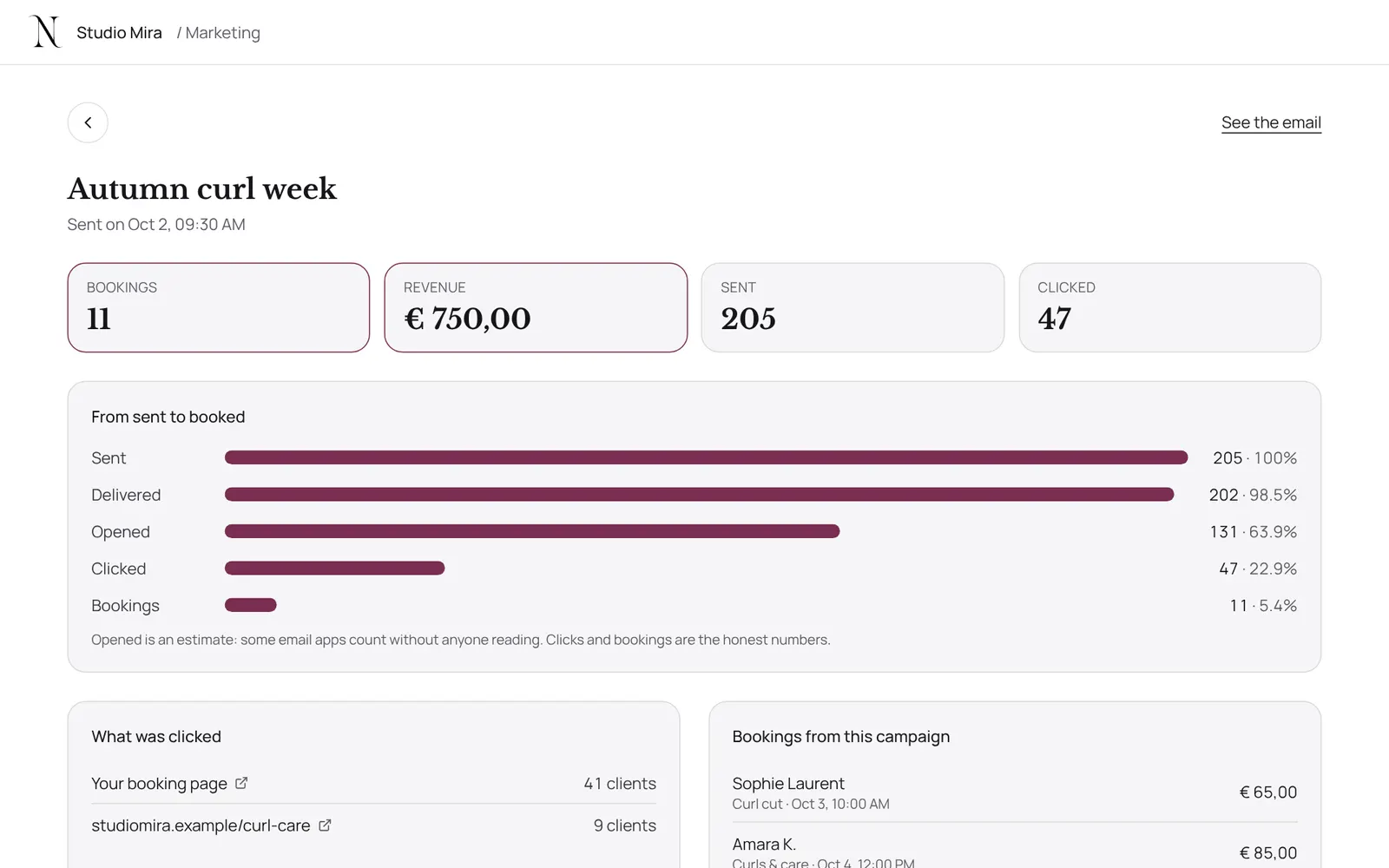
- Afterwards you see how many were sent and opened, and you can send a follow-up to those who didn't open or who opened but didn't book.
- A selection from Rebooking can also become a campaign straight away.
Conviene saber
- Los miembros del equipo necesitan el permiso “Marketing”. El propietario lo configura en Settings → Team → Roles and permissions (la app está en inglés).
Si algo no funciona
My campaign has zero recipients.
A campaign only goes to clients with consent for offers and an email address. You ask for that consent when booking, it's on the client card, and it comes along on import if it was in your old file.
Guías relacionadas
- RebookingWho is due for another appointment, based on their own rhythm
- AutomationsEverything NOZAIA sends to your clients by itself
- RemindersThe automatic reminder on or off
- Atelier: designing Instagram postsCreate Instagram posts and stories in your own brand style, with thirty templates, your own photos and your brand colours. You download it as PNG or JPG and post it yourself.
¿Te ha servido esta guía?
¿Sigues atascado?
En NOZAIA, abre Soporte abajo en la barra lateral (en el móvil: en el menú bajo tu nombre). Sabe en qué pantalla estás y, si no puede ayudarte, tu pregunta llega a nuestro equipo.
Revisado el 29 de septiembre de 2026