



Atelier: designing Instagram posts
Ce guide est en anglais.
Create Instagram posts and stories in your own brand style, with thirty templates, your own photos and your brand colours. You download it as PNG or JPG and post it yourself.
Où le trouver
Où le trouverSettings → Marketing and messages → Atelier
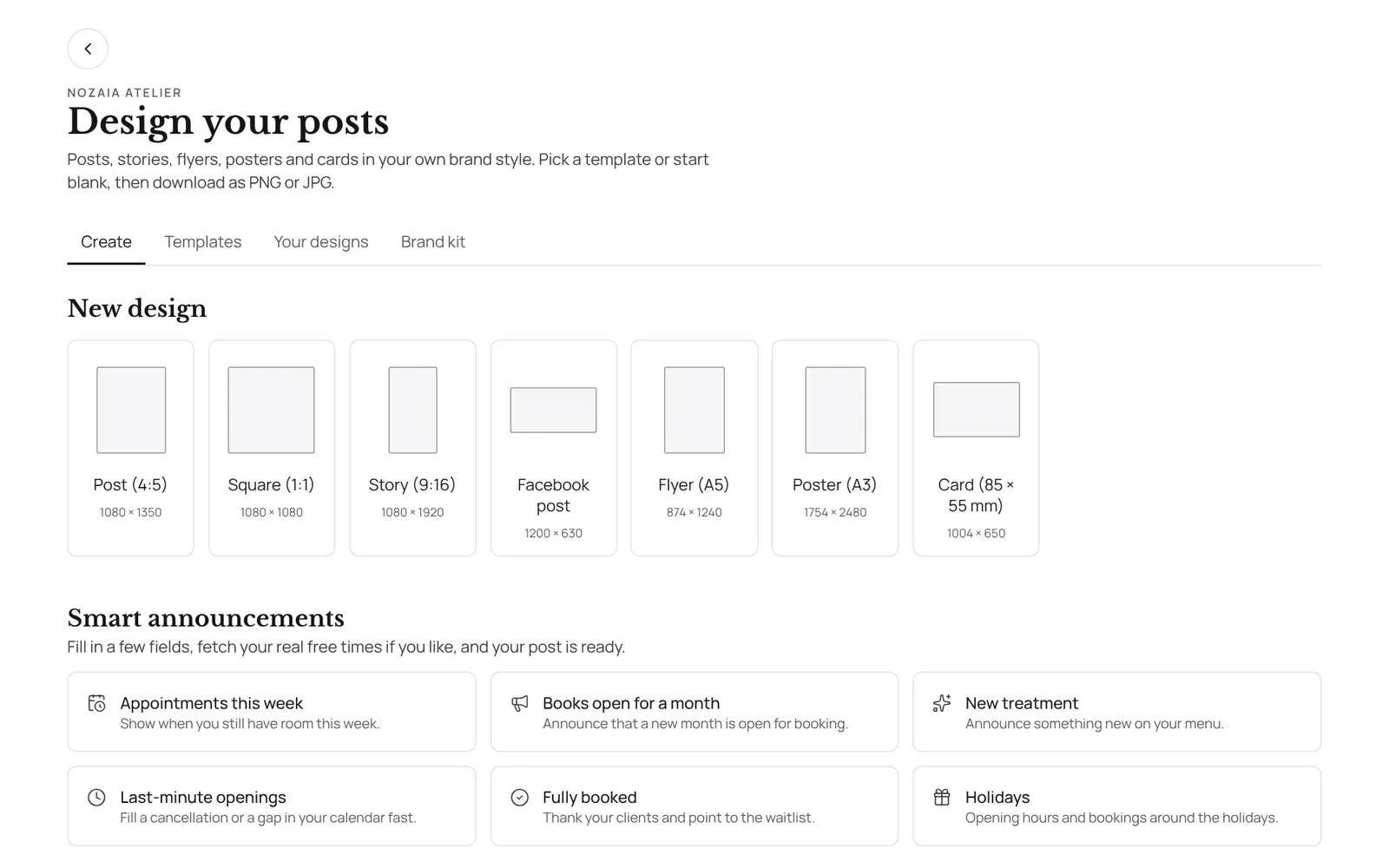
Comment ça marche
- Atelier in the menu under Marketing.
- Choose a format, a template or a smart announcement.
- In the editor, tap something to move, rotate or resize it; double-tap text to type.
- On a phone, one tap on an element opens the menu below the design straight away, and a second tap on a text (or the Edit text button) puts you in the text.
- Everything saves by itself.
- Academy certificates are designed here too.
- Download gives you the file at full size.
- For an announcement you can fetch your real free times from the calendar.
Bon à savoir
- Les membres de l’équipe ont besoin de l’autorisation « Marketing ». Le propriétaire la règle dans Settings → Team → Roles and permissions (l’app est en anglais).
- Selon votre formule, cette fonction est incluse ou non. Voir les formules
Si quelque chose ne marche pas
I keep getting a message that the design was changed elsewhere.
That was a bug fixed on 15 October 2026. Refresh the page. If the message comes back while nobody else is working on it, create a report.
Guides associés
- CampaignsAn email to a group of clients in your own branding. Only goes to clients who gave consent for offers and have an email address.
- AutomationsEverything NOZAIA sends to your clients by itself
- RemindersThe automatic reminder on or off
- RebookingWho is due for another appointment, based on their own rhythm
Ce guide vous a-t-il aidé ?
Vous êtes bloqué ?
Dans NOZAIA, ouvrez le Support en bas de la barre latérale (sur téléphone : dans le menu sous votre nom). Il sait sur quel écran vous êtes, et s’il ne peut pas aider, votre question part à notre équipe.
Vérifié le 17 octobre 2026