



Day closing
Cashing up: what should be in the till and what you counted
Where to find it
Where to find itSidebar → Money → Day close
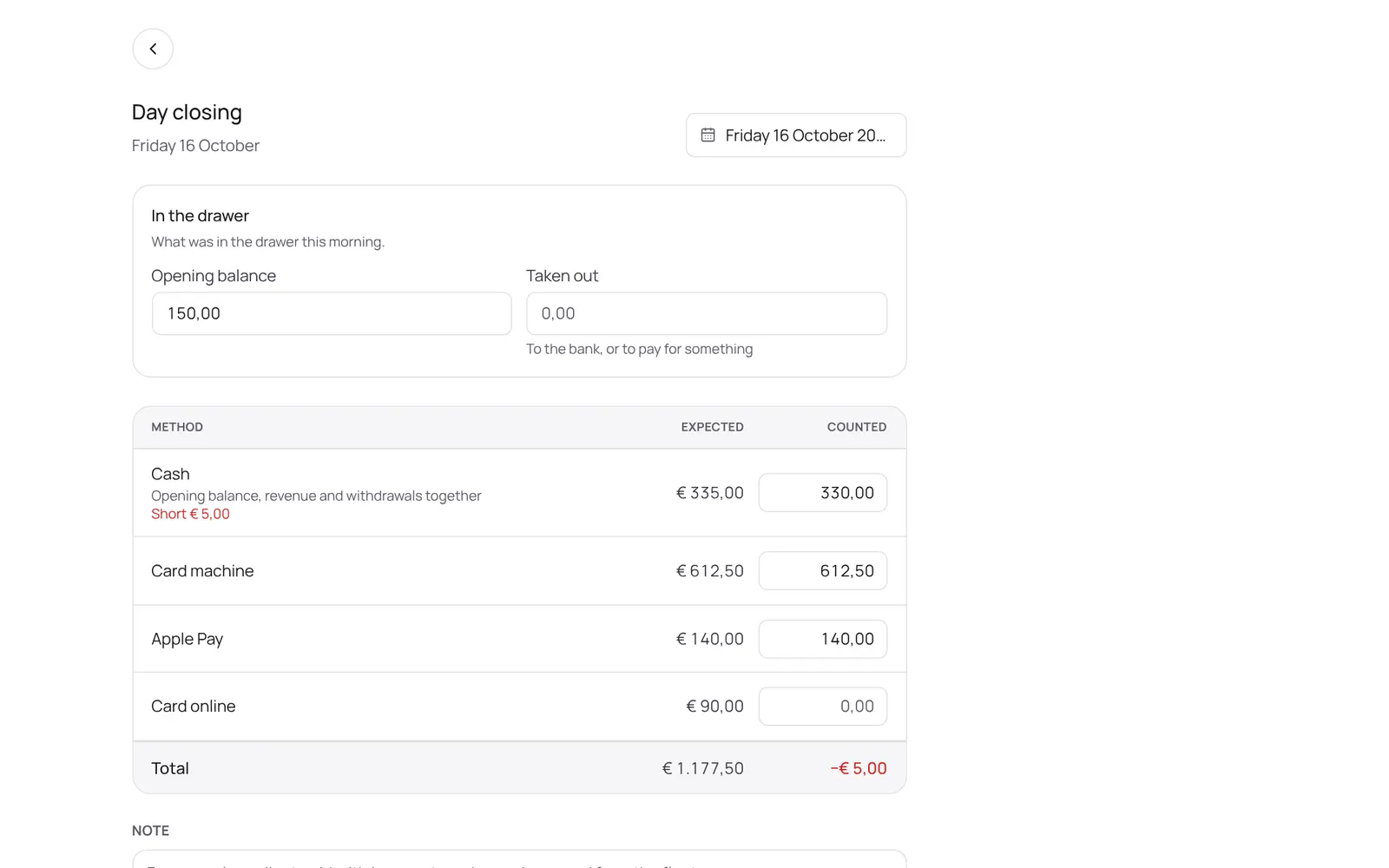
How it works
- Choose the day.
- Fill in the opening balance (what was in the drawer this morning; NOZAIA suggests the last closing), what was taken out (for example to the bank), and per payment method what you counted.
- You see what was expected and the difference.
- If it doesn't match you can still close; add a note.
- After Close day the amounts don't change any more; a note afterwards is still possible.
- Saving in between is possible too.
Related guides
- CheckoutChecking out an appointment or a separate sale: the cart, discount, a gift card or stamp card, and the payment method (card, cash, transfer, QR code, or split). An invoice is made.
- Paying with a QR code at the counterThe client scans a QR code with their own phone and pays online, with your own payment provider (Stripe or Sentoo). It can also be shown on your own phone.
- Connecting a payment providerConnecting your own account with a payment provider so clients can pay online. Which one depends on the country: Stripe in most countries, Sentoo on Aruba, Curaçao, Bonaire and Sint Maarten, PayTabs in the Gulf states, Egypt and Morocco, Paystack in four African countries, Mopé in Suriname.
- Deposit for online bookingsA client pays part or all of the amount when booking online. Set per treatment: none, a percentage or a fixed amount. The money goes straight to your own account, not through NOZAIA.
Did this guide help?
Still stuck?
In NOZAIA, open Support at the bottom of the sidebar (on your phone: in the menu under your name). It knows which screen you're on, and if it can't help, your question goes to our team.
Last checked 29 September 2026