



Booking an appointment for a client
Ce guide est en anglais.
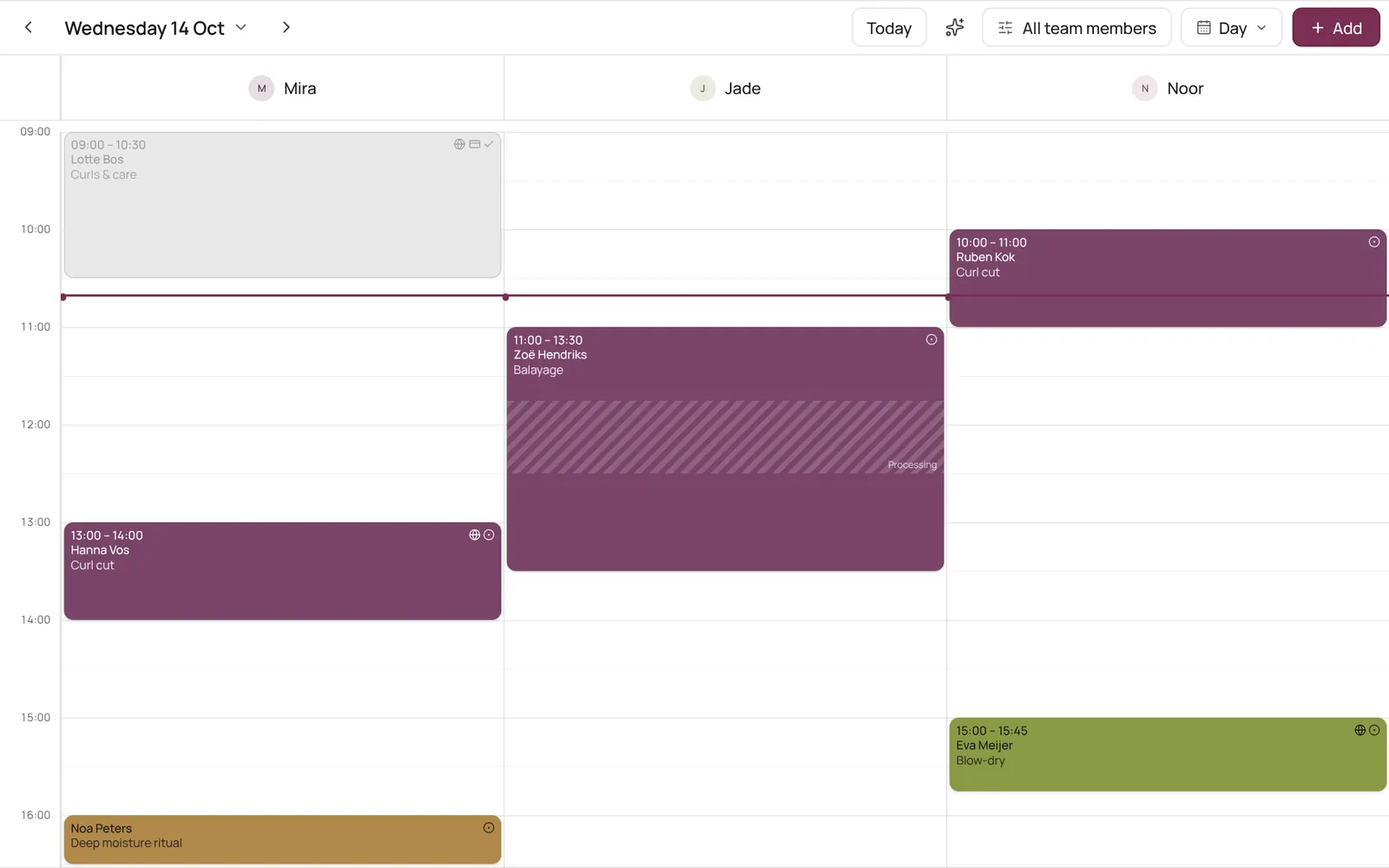
Scheduling an appointment from the calendar: choose client, treatment, team member, time, and optionally repeat.
Où le trouver
Où le trouverMenu bar → Calendar
Comment ça marche
- Tap the time in the calendar, or Add → Appointment.
- The team member is preselected if you tapped in their column or only view their calendar.
- The team member list only shows who does this treatment; the button below shows the others too.
Bon à savoir
- Les membres de l’équipe ont besoin de l’autorisation « Calendar ». Le propriétaire la règle dans Settings → Team → Roles and permissions (l’app est en anglais).
À configurer d’abord
Si quelque chose ne marche pas
A team member isn't in the list when I pick a treatment.
Only those who do the treatment are listed. Turn the team member on in the treatment under Who does this treatment (Settings → Sales → Services), or tap Also show who doesn't do this treatment below the list.
Guides associés
- CalendarYour appointments per day, per 3 days, per week or as a list; your choice is remembered. The day view has a column per team member, the week and 3-day views a column per day. Filter by team member at the top.
- Calendar coloursEach appointment is a solid block in one colour, with white or dark text, whichever reads best. The colour comes from the treatment, otherwise its category, otherwise the team member. Completed appointments are faded; a request has a dashed border.
- Blocked time and time offRecord a break, training, meeting or time off so nothing can be booked in it. A whole day off (type Time off, six hours or more) shows as a bar at the top of the day in the team member's colour.
Ce guide vous a-t-il aidé ?
Vous êtes bloqué ?
Dans NOZAIA, ouvrez le Support en bas de la barre latérale (sur téléphone : dans le menu sous votre nom). Il sait sur quel écran vous êtes, et s’il ne peut pas aider, votre question part à notre équipe.
Vérifié le 29 septembre 2026