



Booking an appointment for a client
Diese Anleitung ist auf Englisch.
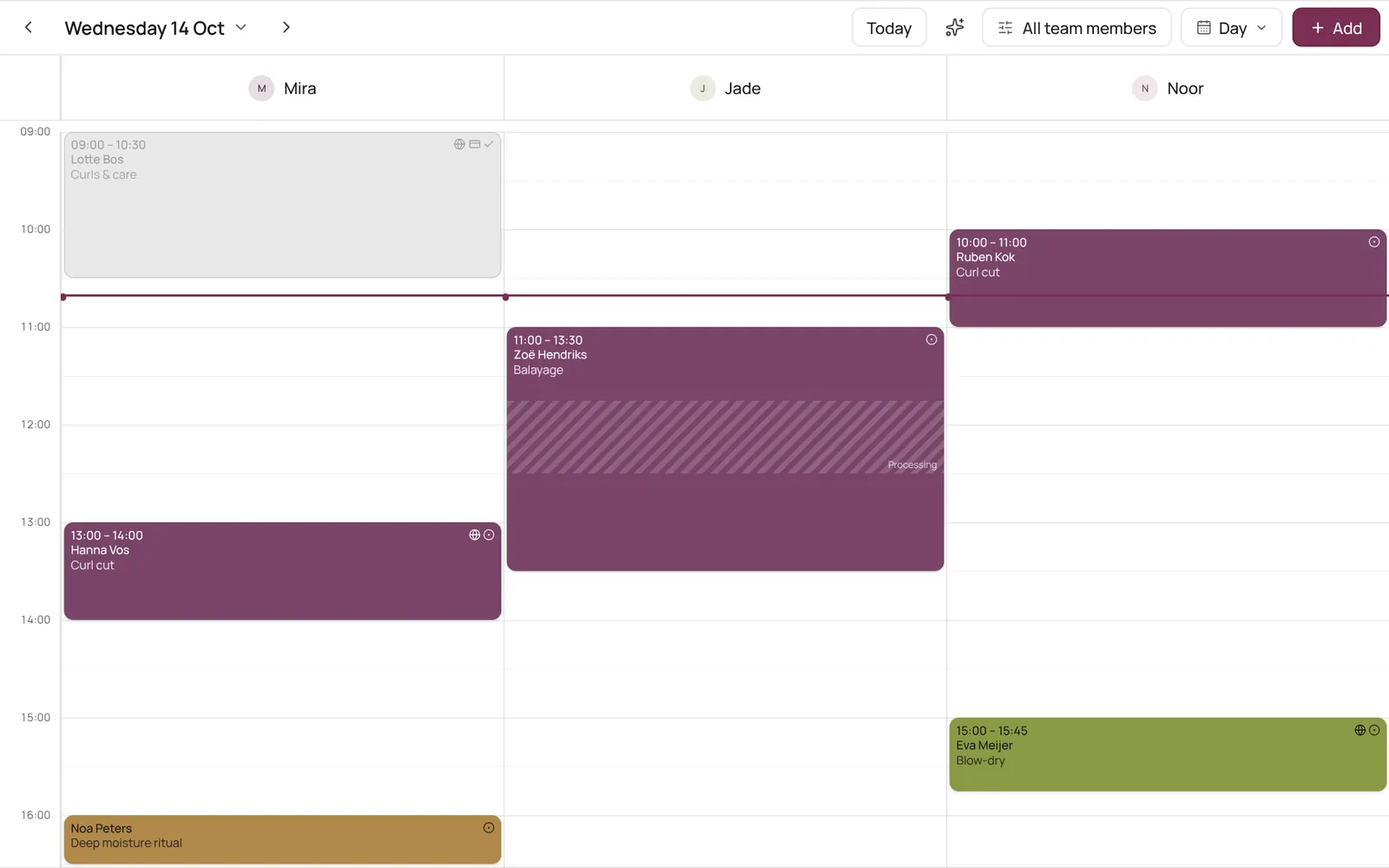
Scheduling an appointment from the calendar: choose client, treatment, team member, time, and optionally repeat.
Wo du es findest
Wo du es findestMenu bar → Calendar
So funktioniert es
- Tap the time in the calendar, or Add → Appointment.
- The team member is preselected if you tapped in their column or only view their calendar.
- The team member list only shows who does this treatment; the button below shows the others too.
Gut zu wissen
- Teammitglieder brauchen die Berechtigung „Calendar“. Die Inhaberin oder der Inhaber legt das unter Settings → Team → Roles and permissions fest (die App ist auf Englisch).
Richte zuerst das ein
Wenn etwas nicht klappt
A team member isn't in the list when I pick a treatment.
Only those who do the treatment are listed. Turn the team member on in the treatment under Who does this treatment (Settings → Sales → Services), or tap Also show who doesn't do this treatment below the list.
Passende Anleitungen
- CalendarYour appointments per day, per 3 days, per week or as a list; your choice is remembered. The day view has a column per team member, the week and 3-day views a column per day. Filter by team member at the top.
- Calendar coloursEach appointment is a solid block in one colour, with white or dark text, whichever reads best. The colour comes from the treatment, otherwise its category, otherwise the team member. Completed appointments are faded; a request has a dashed border.
- Blocked time and time offRecord a break, training, meeting or time off so nothing can be booked in it. A whole day off (type Time off, six hours or more) shows as a bar at the top of the day in the team member's colour.
Hat dir diese Anleitung geholfen?
Kommst du nicht weiter?
Öffne in NOZAIA den Support unten in der Seitenleiste (auf dem Handy: im Menü unter deinem Namen). Er weiß, auf welchem Bildschirm du bist, und wenn er nicht helfen kann, geht deine Frage an unser Team.
Zuletzt geprüft am 29. September 2026