



Quotes
Ce guide est en anglais.
Quotes per event: send, acceptance, payment schedule
Où le trouver
Où le trouverEvents → Quotes
Comment ça marche
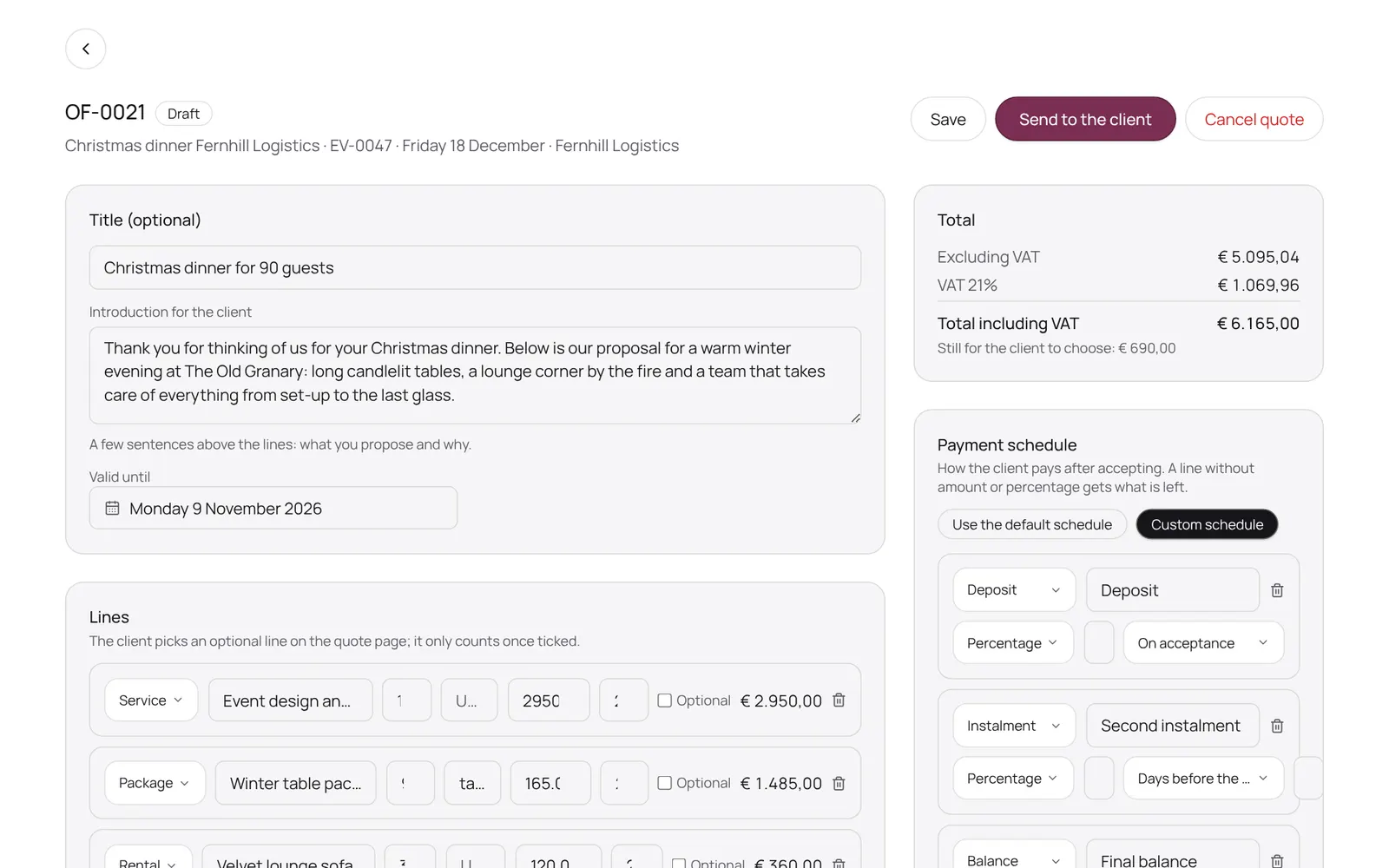
- You create a quote from an event (New quote).
- In draft you fill in lines (or pick a service from your catalogue), optional lines the client ticks herself, the terms and the payment schedule.
- Send emails the client a secure link; there she picks options and accepts or declines.
- After acceptance the instalments appear on the event and the event is confirmed once the deposit is in.
- Did the client say yes by phone? Record the acceptance yourself.
- Need something different? New version.
Bon à savoir
- Les membres de l’équipe ont besoin de l’autorisation « Events ». Le propriétaire la règle dans Settings → Team → Roles and permissions (l’app est en anglais).
Guides associés
- OverviewThe NOZAIA Events overview: upcoming events, new inquiries, what is in the quote stage, today's tasks and what is overdue. Only for a business that picked an event type under Business type (planning, rentals, styling or venue).
- My dayYour events, runs and tasks for today and the coming week
- InquiriesWhat comes in through your site, and what you note yourself
- EventsAll events, from inquiry to completed
Ce guide vous a-t-il aidé ?
Vous êtes bloqué ?
Dans NOZAIA, ouvrez le Support en bas de la barre latérale (sur téléphone : dans le menu sous votre nom). Il sait sur quel écran vous êtes, et s’il ne peut pas aider, votre question part à notre équipe.
Vérifié le 10 octobre 2026