



Events report
Ce guide est en anglais.
Revenue, costs and estimated profit per period
Où le trouver
Où le trouverEvents → Report
Comment ça marche
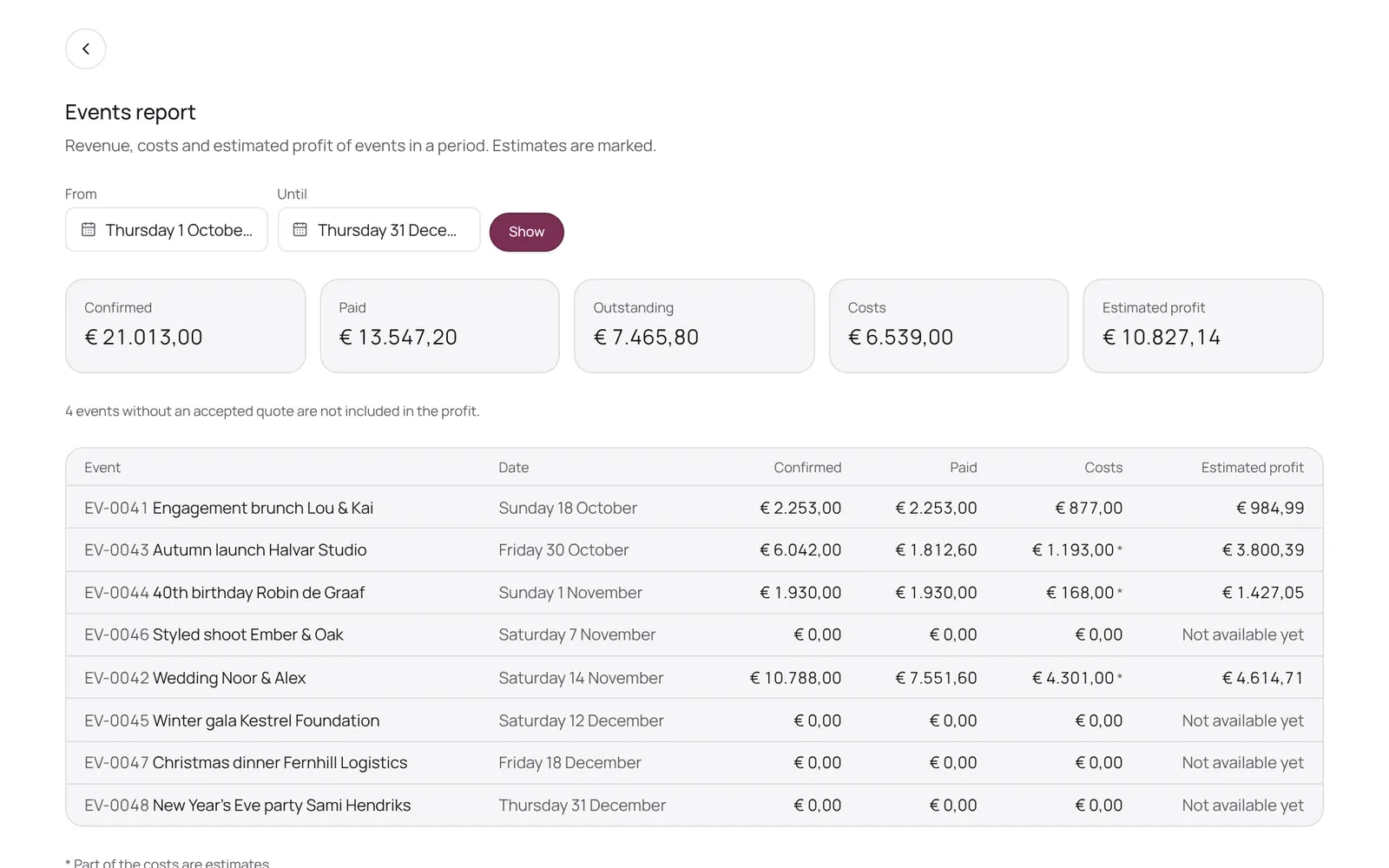
- Pick a period and see per event the confirmed revenue, what has been paid, the costs and the estimated profit (excluding VAT), with totals above and revenue per package and rental item below.
- You enter costs on the event itself, in the Revenue, costs and profit block; supplier costs come from the suppliers.
- An event without an accepted quote is not included in the profit.
- Only for those who may see the business figures or manage payments.
Bon à savoir
- Les membres de l’équipe ont besoin de l’autorisation « Events ». Le propriétaire la règle dans Settings → Team → Roles and permissions (l’app est en anglais).
Guides associés
- OverviewThe NOZAIA Events overview: upcoming events, new inquiries, what is in the quote stage, today's tasks and what is overdue. Only for a business that picked an event type under Business type (planning, rentals, styling or venue).
- My dayYour events, runs and tasks for today and the coming week
- InquiriesWhat comes in through your site, and what you note yourself
- QuotesQuotes per event: send, acceptance, payment schedule
Ce guide vous a-t-il aidé ?
Vous êtes bloqué ?
Dans NOZAIA, ouvrez le Support en bas de la barre latérale (sur téléphone : dans le menu sous votre nom). Il sait sur quel écran vous êtes, et s’il ne peut pas aider, votre question part à notre équipe.
Vérifié le 11 octobre 2026