



Events report
Esta guía está en inglés.
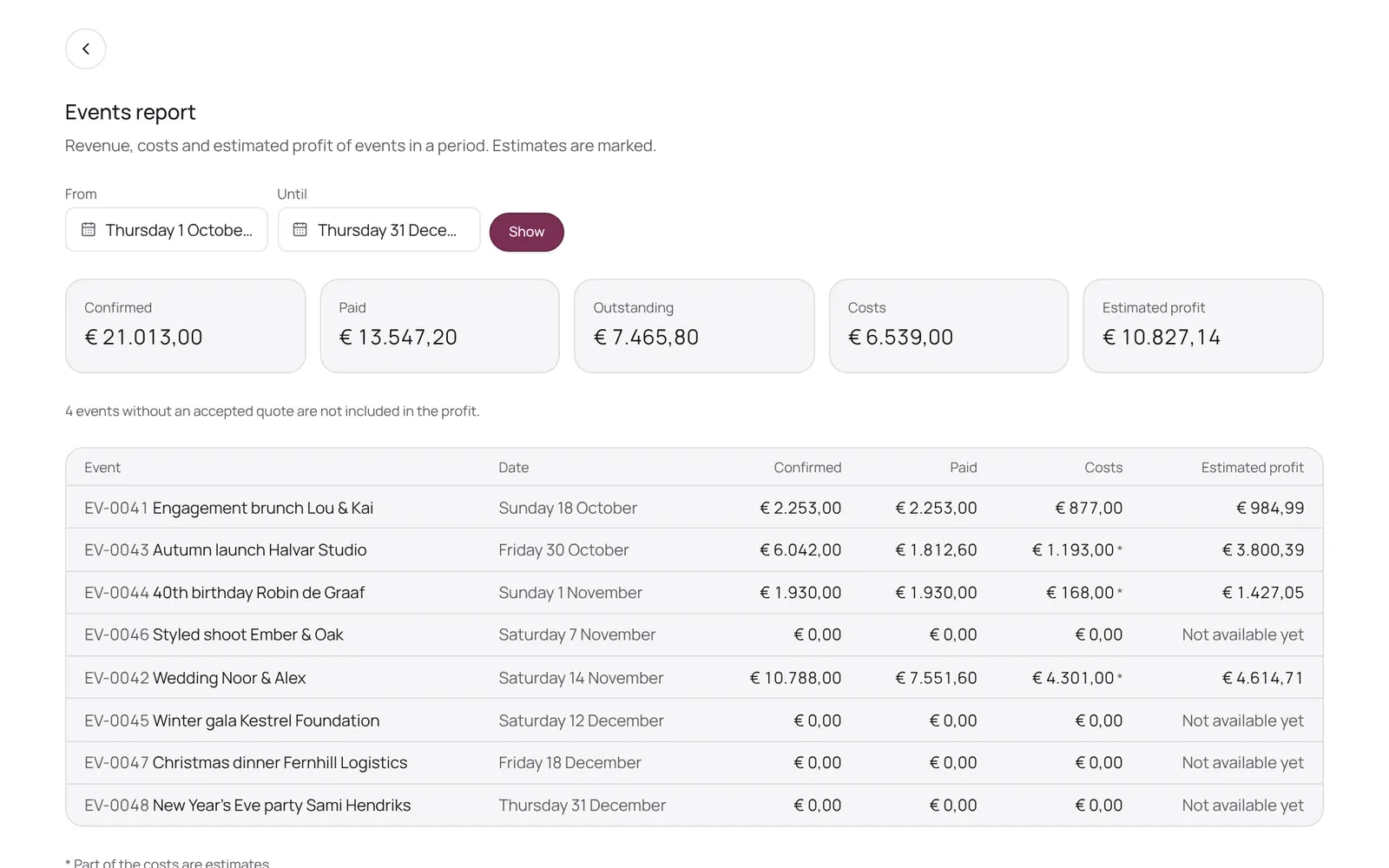
Revenue, costs and estimated profit per period
Dónde encontrarlo
Dónde encontrarloEvents → Report
Cómo funciona
- Pick a period and see per event the confirmed revenue, what has been paid, the costs and the estimated profit (excluding VAT), with totals above and revenue per package and rental item below.
- You enter costs on the event itself, in the Revenue, costs and profit block; supplier costs come from the suppliers.
- An event without an accepted quote is not included in the profit.
- Only for those who may see the business figures or manage payments.
Conviene saber
- Los miembros del equipo necesitan el permiso “Events”. El propietario lo configura en Settings → Team → Roles and permissions (la app está en inglés).
Guías relacionadas
- OverviewThe NOZAIA Events overview: upcoming events, new inquiries, what is in the quote stage, today's tasks and what is overdue. Only for a business that picked an event type under Business type (planning, rentals, styling or venue).
- My dayYour events, runs and tasks for today and the coming week
- InquiriesWhat comes in through your site, and what you note yourself
- QuotesQuotes per event: send, acceptance, payment schedule
¿Te ha servido esta guía?
¿Sigues atascado?
En NOZAIA, abre Soporte abajo en la barra lateral (en el móvil: en el menú bajo tu nombre). Sabe en qué pantalla estás y, si no puede ayudarte, tu pregunta llega a nuestro equipo.
Revisado el 11 de octubre de 2026