



Overview
Diese Anleitung ist auf Englisch.
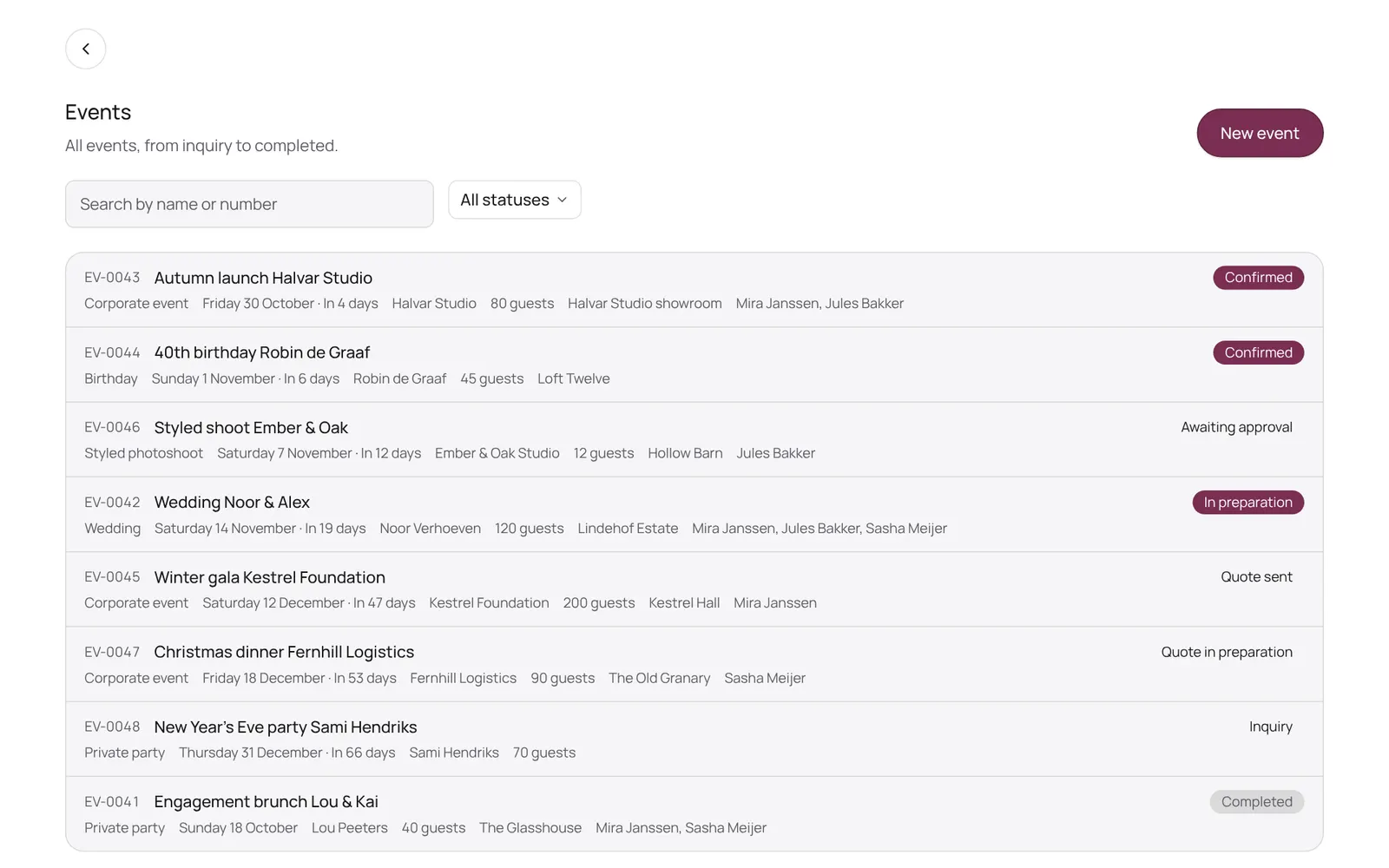
The NOZAIA Events overview: upcoming events, new inquiries, what is in the quote stage, today's tasks and what is overdue. Only for a business that picked an event type under Business type (planning, rentals, styling or venue).
Wo du es findest
Wo du es findestSettings → Events → Overview
So funktioniert es
- Events in the sidebar.
- Every tile is a link: tap New inquiries and you land in the list with that filter.
- Under Needs attention are overdue tasks, inquiries whose follow-up date has passed, and events within a week without a team.
- Not seeing Events? First pick an event type under Settings → Business setup → Business type.
Gut zu wissen
- Teammitglieder brauchen die Berechtigung „Events“. Die Inhaberin oder der Inhaber legt das unter Settings → Team → Roles and permissions fest (die App ist auf Englisch).
Passende Anleitungen
Hat dir diese Anleitung geholfen?
Kommst du nicht weiter?
Öffne in NOZAIA den Support unten in der Seitenleiste (auf dem Handy: im Menü unter deinem Namen). Er weiß, auf welchem Bildschirm du bist, und wenn er nicht helfen kann, geht deine Frage an unser Team.
Zuletzt geprüft am 10. Oktober 2026